
Services
Virgin Stream Box Review: Pick-and-Mix TV for Virgin Homes
Virgin Stream exists for a specific customer: someone on Virgin Media broadband who wants some pay television but not the full cable package. Instead of a bundle, you take a small box and add individual content packs by the month. The idea is good. The execution is competent rather than exciting, and the flexibility is narrower than the marketing implies.
The short answer
- Requires Virgin Media broadband — not available standalone.
- Content packs are rolling monthly and genuinely easy to drop.
- The box is 4K-capable and aggregates the streaming apps well.
- The interface and search are the weakest of the UK paid platforms.
Virgin Media spent decades selling television and broadband as one inseparable lump down a coaxial cable. Virgin Stream is the acknowledgement that a growing number of its broadband customers do not want that — they want Netflix, iPlayer, maybe Sky Sports for the season, and nothing else.
So Stream unbundles it. You take a compact box that plugs into HDMI and runs over your existing Virgin connection, then add content packs individually, month by month. Drop them whenever you like. It is the most granular pay-television model in Britain.
We used Virgin Stream for two months on a Virgin gigabit line. The pack model works exactly as advertised. The platform around it is where the compromises live.
What Virgin Media Stream actually is
Virgin Stream sends its channels over Virgin Media broadband to a compact set-top box, with no cable TV connection involved. Unlike traditional Virgin TV it does not use the cable television infrastructure at all — everything arrives as internet traffic on the same line as your web browsing. Virgin Media Stream is the company’s answer to households that want some pay television without the full cable package.
At a glance
- Owner
- Virgin Media O2
- Requires
- Virgin Media broadband
- Hardware
- Virgin Stream box
- Max quality
- 4K UHD with HDR
- Audio
- 5.1 surround
- Recording
- None — streaming only
- Content model
- Individual packs, rolling monthly
- Coverage
- Virgin cable footprint only
The distinction from Virgin’s traditional TV 360 service matters. TV 360 is the full cable platform with a hard-disk recorder and a large bundled channel line-up on a long contract. Stream is the lightweight streaming alternative: no recorder, fewer channels by default, and content bought à la carte.
How do Virgin Stream packs work?
Individually and monthly. You take the box, then add whichever packs you want — sport, films, entertainment — and each one bills separately and can be switched off from the app without a phone call. Among the big contract providers, none makes dropping content that easy.
What each pack actually adds
This is the genuinely distinctive part and the main reason to consider it.
Rather than choosing between three bundles, you start with the box and add packs individually. Each is billed monthly and can be dropped from the app without ringing anybody, which is a meaningfully lower-friction experience than most UK providers offer.
| Pack type | Roughly | What it covers |
|---|---|---|
| Box / base | One-off or waived | The hardware, Freeview channels, catch-up apps |
| Entertainment | ~£10–£15 | Sky Atlantic, Sky Max and the entertainment channels |
| Sky Sports | ~£25–£30 | The Sky Sports channels |
| TNT Sports | ~£18 | Champions League, boxing, MotoGP |
| Sky Cinema | ~£12 | Sky Cinema channels and film catalogue |
| Kids | ~£5 | Children’s channels |
| Streaming apps | Varies | Netflix, Disney+ and similar, billed through Virgin |
Where this shines is seasonal viewing. Take Sky Sports for the football season and drop it in June — the same tactic that makes NOW so attractive, available here too. Neither Sky Stream, which needs no dish nor EE TV allows that.
It is also worth doing the arithmetic before assuming à la carte is cheaper. Three or four packs quickly reach the price of a bundled package elsewhere, and at that point you would be better served by a platform with a better interface.

What is the Virgin Stream box like?
Small, black, unobtrusive — a compact streaming box rather than the substantial TV 360 unit. HDMI out, Ethernet in, power. No hard disk, no optical audio, no card slot. Physically it is close to the Sky Stream puck, and it does the same job for a different broadband provider.
It handles 4K HDR competently and 5.1 audio without fuss. Boot time is reasonable and it has been stable in our testing. There is nothing wrong with the hardware; it is simply unremarkable, which at this price point is fine.
The remote is conventional — a directional pad, numeric keys, app shortcut buttons and a voice key. Voice search works, though less impressively than Sky’s: it finds obvious titles reliably and struggles with anything ambiguous.
No recording, at all
Worth flagging clearly for anyone moving from TV 360, which has a hard disk. Virgin Stream has no local recording and no cloud Playlist equivalent to Sky’s. You rely entirely on catch-up and on-demand availability.
For most viewing that is now adequate — the catch-up services cover the public service channels comprehensively. But if your household records things routinely, this is a real downgrade, and either TV 360 or an EE TV Box Pro would suit you better.
What is the Virgin Stream interface like?
Usable but behind. Nothing about it is broken, and finding a channel is straightforward, but it lacks the cross-app search that makes Sky Stream so quick — you still hop between apps to find things — and it looks older than it is. It is the main reason Virgin Stream ranks below its rivals here.
Living with it day to day
The weakest element, and the clearest reason Virgin Stream sits below the other paid platforms in our ranking. None of it is bad, and the Virgin Stream box is quick enough day to day.
It is not bad. The guide is legible, the apps are all present, and navigation is logical enough that nobody will be lost. But it feels a generation behind Sky Stream in every respect that matters — search does not span apps convincingly, recommendations are generic, and the visual design is dated.
The practical symptom is that you go back to thinking about which app things live in. On Sky Stream you search for a programme and it appears regardless of source. Here you increasingly find yourself opening Netflix, then Disney+, then iPlayer, which is exactly the friction an aggregating platform is supposed to remove.
30
Mbps recommended
Per 4K stream.
4K
Max resolution
HDR supported, no Dolby Vision.
0
Hours of recording
No disk, no cloud Playlist.
1
Month minimum per pack
Broadband term is separate.
App coverage itself is good — Netflix, Disney+, Prime Video, Apple TV+, iPlayer, ITVX, Channel 4, My5 and the rest are all there. The problem is the layer on top of them rather than the apps themselves.

Is Virgin Stream better than Virgin TV 360?
Only if you want less television. Stream is for Virgin broadband customers who want fewer channels than TV 360 sells, on terms they can change month to month. If you want more television, TV 360 is the better product. If you are not committed to Virgin broadband, Sky Stream beats either.
Where each one wins
| Virgin Stream | Virgin TV 360 | Sky Stream | |
|---|---|---|---|
| Delivery | Broadband (IPTV) | Cable | Broadband (IPTV) |
| Requires their broadband | Yes | Yes | No |
| Recording | None | Hard disk | Cloud Playlist |
| Content model | Individual packs | Bundles | Base plus packs |
| Drop content monthly | Yes | Limited | No |
| 4K | Yes | Yes | Paid add-on |
| Interface | Dated | Better | Best in market |
| Availability | Virgin footprint | Virgin footprint | Anywhere with broadband |
The table makes the split plain: TV 360 is the fuller product with a disk, Stream the lighter one with no commitment, and both assume Virgin broadband. Since Sky Atlantic arrived on Virgin in April 2026 the channel argument between the two companies has largely gone — Sky vs Virgin covers what now decides it. Outside the Virgin ecosystem the closest comparisons are Sky Stream and EE TV, both of which sell the same pick-your-packs idea on different broadband.
The full market picture is in our comparison of every legal UK service, which puts every option side by side.
How do you set up the Virgin Stream box?
Two things decide how well it works. For 4K, connect it to an HDMI 2.0 input or newer — older sockets quietly fall back to HD. And run a cable to the router where you can, because distance on Wi-Fi, not the Virgin line, is what usually makes 4K stutter.
The faults that actually come up
Setup is genuinely quick — self-install, no engineer beyond the broadband.
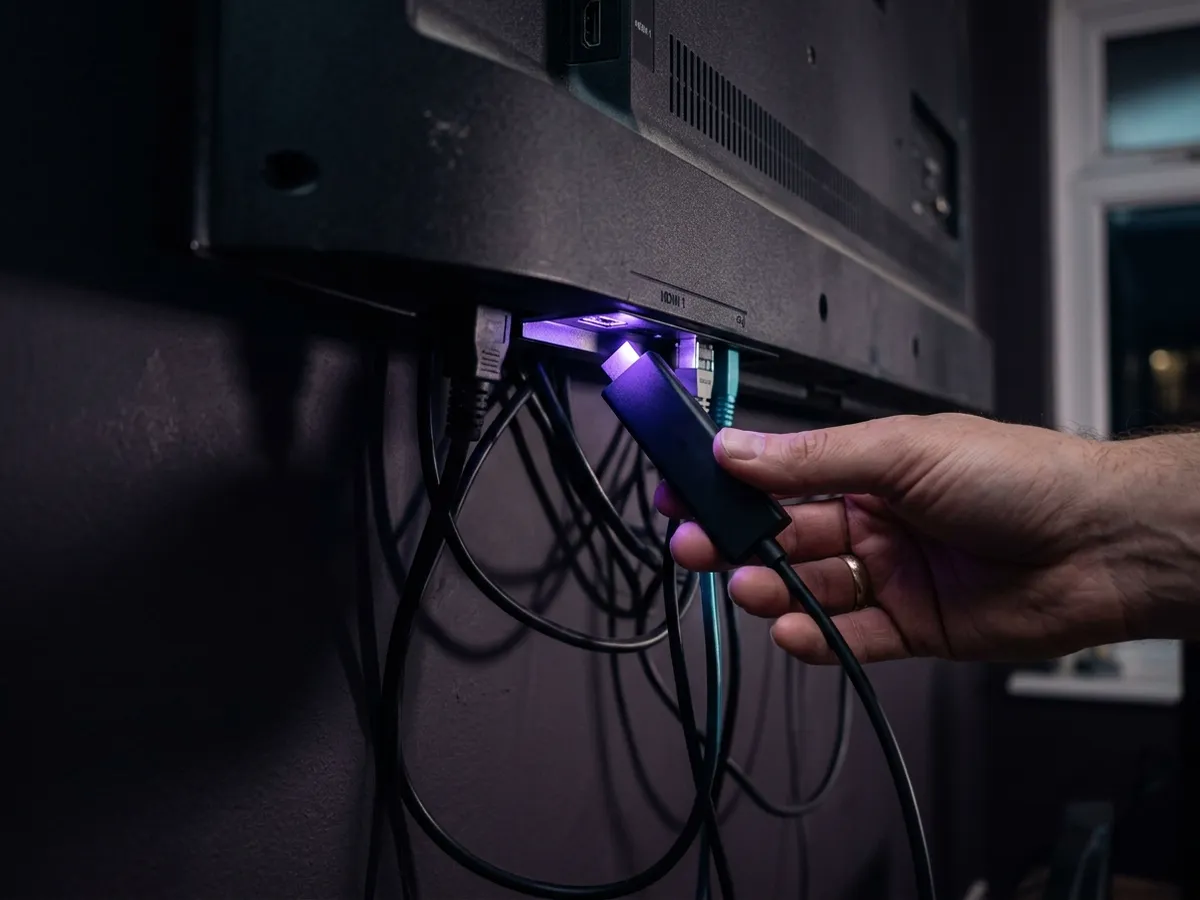
Plug into HDMI and power
Use an HDMI 2.0 or later port on the television if you want 4K. Older ports will negotiate down to HD without telling you.
Wire it to the Hub if you can
Virgin’s Hub routers are decent but 4K over Wi-Fi across a house is still the main cause of buffering. Ethernet removes the variable.
Sign in with your Virgin account
The box authenticates against your broadband account to determine which packs you hold.
Add packs from the app or website
Changes take effect quickly, though a restart is sometimes needed before new channels appear.
| Problem | Cause | Fix |
|---|---|---|
| New pack not showing | Entitlements cached | Restart the box — entitlements refresh at boot. |
| Buffering in one room | Wi-Fi range | Wire the box, or move to 5 GHz. Each 4K stream needs ~30 Mbps. |
| Stuck in HD on a 4K TV | HDMI port or cable | Use an HDMI 2.0+ port and a high-speed cable. |
| Cannot find a programme | Search does not span apps well | Open the specific app directly. This is a platform limitation, not a fault. |
Do you need Virgin broadband for Virgin Stream?
Yes, and that tie is the single biggest limitation of the product. Virgin Stream cannot be bought separately, so evaluating it properly means evaluating Virgin Media broadband — genuinely fast on its own cable network, including gigabit tiers, but limited to the cable footprint and prone to evening congestion.
The tie that decides everything
Because Virgin Stream cannot be bought separately, evaluating it properly means evaluating Virgin Media broadband — and that is a more mixed picture than the television side. That tie is the single biggest limitation of the Virgin Stream box, and it is why it suits fewer households than the pack model suggests.
Virgin runs its own cable network rather than using Openreach, which has two consequences. The speeds are genuinely fast, including gigabit tiers that most Openreach areas still cannot match. But coverage is limited to the cable footprint, and because the network is shared locally, evening congestion is a more common complaint than on fibre-to-the-premises lines.
For streaming specifically, that congestion pattern matters more than the headline speed. A 1 Gbps package that drops sharply at 8pm will serve a 4K stream worse than a steady 150 Mbps fibre line, for the reasons set out in our explainer on how IPTV works. Check reviews for your specific area rather than the national average.
| Virgin Media | Typical Openreach FTTP | |
|---|---|---|
| Network | Own cable (DOCSIS/fibre) | Openreach fibre |
| Top speeds | Gigabit and above | Up to gigabit, area dependent |
| Coverage | Cable footprint only | Expanding, broader |
| Upload speeds | Lower on cable tiers | Symmetric on full fibre |
| Peak congestion | More commonly reported | Less common |
| Contract | 18 months typical | 12–24 months, varies |
Who is Virgin Stream actually for?
A narrow group: someone already on Virgin Media broadband who wants a little pay television but not the full cable package, or who only wants sport during the season. Monthly packs make that straightforward. Everyone else is better served by a Freely box for free channels or a streaming stick for apps.
And who should look elsewhere
Everyone else is better served by a Freely box for free channels or a streaming stick for apps.
| If this is you… | Verdict |
|---|---|
| On Virgin broadband, want a little pay TV | Yes. This is exactly the customer Stream was designed for. |
| Only want sport during the season | Yes. Monthly packs make seasonal viewing straightforward. |
| Want a large channel line-up | No. Virgin TV 360 is the better product for that. |
| Record programmes routinely | No. There is no recording at all. Consider TV 360 or EE TV. |
| Care about the interface | No. This is the weakest of the UK paid platforms. |
| Not on Virgin broadband | Not available. Sky Stream or NOW instead. |
| Taking three or more packs | Reconsider. At that price a bundled platform is better value. |
The honest summary is that Virgin Stream is a good answer to a narrow question. It is not competing to be the best television platform in Britain, and it is not trying to — it exists so Virgin broadband customers have a lighter option than TV 360. Judged on that basis it works.
How much does Virgin Stream cost?
You pay for the box plus whatever packs you add, each billed monthly and droppable from the app. That makes the headline cheap and the real cost entirely dependent on how many packs you keep. Against a fixed term, pick-and-mix wins on flexibility and loses on price per channel.
Virgin Stream’s model is monthly flexibility — add a channel pack, drop it again, pay for what you watch. The cost of that flexibility is a price that only moves upwards and a bill that renews indefinitely. The plans below take the other approach. Virgin Stream is usually bought for sport and live channels, so both tiers are listed: 4K Ultra for those in 4K HDR, 8K Ultra Max for a wider line-up. Costed against the alternatives, that is our plan list, what Sky charges by tier and Freely for the free channels.
IPTV 4K Ultra
From £2.86/moCinema-quality HDR & Dolby
True 4K Ultra HD streaming with HDR10+, Dolby Vision and Dolby Atmos. Watch the Premier League in 4K like you are at the ground.
Starter 4K
3 Months
£34.99−31%
£23.99
£8.00/mo
- 27,000+ channels in 4K
- 192,000+ VOD titles in native 4K
- 4K UHD (3840×2160) HEVC
- Full EPG guide
- 1 screen
- 24/7 UK support
- Anti-freeze technology
Secure payment

Standard 4K
6 Months
£54.99−27%
£39.99
£6.67/mo
- 27,000+ channels in 4K
- 192,000+ VOD titles in 4K HDR
- 4K UHD + HDR10+
- EPG + 3-day replay
- 1 screen
- Priority support 24/7
- Anti-freeze servers
Secure payment
Premium 4K
12 Months
2 months free£74.99−27%
£54.99
£3.93/mo
- 27,000+ channels in 4K UHD
- 192,000+ VOD titles in 4K HDR
- 4K UHD + HDR10+ + Dolby Vision
- EPG + 7-day replay
- 1 screen
- VIP WhatsApp support
- Dolby Atmos 5.1 audio
- Free automatic updates
Secure payment
Ultimate 4K
24 Months
4 months free£89.99−11%
£79.99
£2.86/mo
- 27,000+ channels in 4K UHD
- 192,000+ VOD titles in 4K Ultra HD
- 4K + HDR10+ + Dolby Vision
- EPG + 14-day replay
- 1 screen
- VIP WhatsApp instant support
- Dolby Atmos 7.1 surround
- Early access to 4K content
- Optimised HEVC streaming
Secure payment
IPTV 8K Ultra Max
From £3.93/mo8K HDR + Dolby Atmos — the pinnacle
The most advanced plan on the list. True 8K Ultra HD with Dolby Vision HDR and Dolby Atmos sound, 55,000+ live channels, 220,000+ on-demand films and series, and multi-language subtitles on everything.
Starter 8K
3 Months
£39.99−25%
£29.99
£10.00/mo
- 55,000+ live channels in up to 8K
- 220,000+ films & series on demand
- 8K UHD + Dolby Vision HDR
- Dolby Atmos immersive audio
- Multi-language subtitles
- Full EPG guide
- 1 screen
- 24/7 UK support
Secure payment
Standard 8K
6 Months
£69.99−29%
£49.99
£8.33/mo
- 55,000+ live channels in up to 8K
- 220,000+ films & series on demand
- 8K UHD + Dolby Vision HDR
- Dolby Atmos immersive audio
- Multi-language subtitles
- EPG + 3-day replay
- 1 screen
- Priority UK support 24/7
Secure payment
Premium 8K
12 Months
2 months free£99.99−30%
£69.99
£5.00/mo
- 55,000+ live channels in up to 8K
- 220,000+ films & series in 8K / 4K
- 8K UHD + Dolby Vision HDR
- Dolby Atmos object-based audio
- Multi-language subtitles throughout
- EPG + 7-day replay
- 1 screen
- VIP WhatsApp support 24/7
- Free automatic updates
Secure payment
Ultimate 8K
24 Months
4 months free£124.99−12%
£109.99
£3.93/mo
- 55,000+ live channels in up to 8K
- 220,000+ films & series in 8K / 4K
- 8K UHD + Dolby Vision HDR
- Dolby Atmos 7.1+ surround sound
- Multi-language subtitles throughout
- EPG + 14-day replay
- 1 screen
- VIP WhatsApp instant support
- Early access to new 8K content
- Optimised 8K HEVC / AV1 streaming
Secure payment
If you genuinely watch sport for three months of the year and nothing the rest, Virgin’s model has a real argument. If you watch year-round, the twenty-four-month terms above cost less in total than a single season of pick-and-mix. Every term is on the pricing page, and the services hub compares the alternatives.
Is Virgin Stream worth it? Our verdict
Our verdict
Virgin Stream
A sensible product for a narrow audience. If you are on Virgin broadband and want to buy television one pack at a time — particularly if your sport viewing is seasonal — it does exactly what it promises, and the ability to drop packs monthly is genuinely valuable. The interface is a generation behind the competition, there is no recording at all, and the underlying broadband contract undercuts the flexibility story.
What works
- Genuinely à la carte — pay only for the packs you want.
- Packs are rolling monthly and easy to drop in the app.
- Capable 4K HDR box with all the main apps present.
- Self-install, no engineer, quick to set up.
- Neat single-bill integration with Virgin broadband.
What doesn’t
- Requires Virgin Media broadband and its 18-month term.
- No recording of any kind.
- Interface and cross-app search are the weakest here.
- Several packs quickly costs as much as a full bundle.
- Only available inside the Virgin cable footprint.
Best for: Virgin broadband customers who want some pay TV but not TV 360, especially those who only want sport for part of the year.
Frequently asked questions
What is the Virgin Media Stream box and who is it for?
A small streaming box for Virgin Media broadband customers who want some pay television without the full cable package. You add and drop packs month by month with no TV contract — but the broadband tie underneath is what decides whether it suits you.
Virgin Stream vs Virgin TV — what is the difference?
Virgin TV is the full cable package with a 360 box and a long contract. Virgin Stream is the cut-down version: a small box, packs you add and drop month by month, and no TV contract — but it still requires Virgin Media broadband underneath, which is the catch.
Does Virgin Stream work over Wi-Fi?
Yes, but wire it if you can. The box has an Ethernet port and a 4K stream needs around 30 Mbps sustained, which Wi-Fi through internal walls frequently cannot hold. A cable to the Virgin Hub removes the single most common cause of buffering in a Virgin household.
What is Virgin Stream?
Virgin Media’s streaming television platform, delivered over Virgin broadband through a small set-top box rather than the cable TV infrastructure. Content is bought as individual packs on a rolling monthly basis instead of as a fixed bundle.
Can I get Virgin Stream without Virgin broadband?
No. It is only available to Virgin Media broadband customers, and only within the Virgin cable footprint. If you want a broadband-independent IPTV service, Sky Stream or NOW are the alternatives.
Can you record on Virgin Stream?
No. There is no hard disk and no cloud recording equivalent, so you rely entirely on catch-up and on-demand availability. Virgin TV 360 has a hard-disk recorder if that matters to your household.
What is the difference between Virgin Stream and Virgin TV 360?
TV 360 is the full cable platform with a hard-disk recorder and large bundled channel packages on a long contract. Stream is the lighter streaming alternative delivered over broadband, with no recorder and content bought pack by pack on a monthly basis.
Can I cancel Virgin Stream packs at any time?
The content packs are rolling monthly and can be dropped from the app without calling anyone. The Virgin broadband contract underneath them is separate and typically runs 18 months or more, so the flexibility applies to the television rather than the whole arrangement.
Does Virgin Stream support 4K?
Yes. The box outputs 4K HDR with 5.1 audio on supported content, at around 30 Mbps per stream. Use an HDMI 2.0 or later port on the television, since older ports will silently negotiate down to HD.
Do I need to be in a Virgin cable area for Virgin Stream?
Yes. Virgin Media broadband is only available within its own cable footprint, and since Stream requires that broadband, the television is limited to the same areas. If Virgin cannot serve your address, Sky Stream and NOW both work on any provider’s line.
Is Virgin broadband good enough for 4K streaming?
Generally yes on speed — Virgin offers gigabit tiers that many Openreach areas cannot match. The more relevant question is evening congestion, which is reported more commonly on Virgin’s shared local network than on full fibre. A steady 40 Mbps beats a fast line that collapses at 8pm, so check reviews for your specific area.
How many devices can watch Virgin Stream at once?
Each Stream box is a separate stream, and each 4K stream needs around 30 Mbps of its own. On a fast Virgin line several boxes work comfortably, but the bandwidth adds up — a house with 4K playing in three rooms at once needs something like 90 Mbps actually free on the line.
How do I cancel a Virgin Stream pack?
Packs are managed from the Virgin Media app or website and can be dropped without ringing anyone, taking effect at the end of the current billing month. The broadband contract underneath is separate and cannot be cancelled the same way — it runs for its full 18-month term.
Does Virgin Stream include Netflix and Disney+?
The apps are on the box and you can sign in with your own accounts at no extra cost. Virgin also offers some streaming services as billed add-ons through its own packs, which is convenient for a single bill but is not cheaper than subscribing directly.
Is Virgin Stream good value?
For one or two packs, yes — it is the cheapest way to add a little pay television to a Virgin broadband line. Once you are taking three or four packs the total approaches a full bundle elsewhere, and platforms with better interfaces become the more sensible buy.
This page is part of our Services hub.
See all services guides