
Services
Freeview Play Explained: The Hybrid That Most UK TVs Already Have
Freeview Play is the quiet workhorse of British television. It has been built into most sets sold here since 2016, it costs nothing, and a very large number of people use it every day without ever learning its name. It is also the most resilient television platform in the country, because the part that matters most does not depend on your broadband at all.
The short answer
- Aerial channels plus broadband catch-up, unified in one scroll-back guide.
- Around 70 standard and 15 HD channels — more than broadband-only Freely.
- Keeps working during a broadband outage, which no IPTV service does.
- Recorder boxes exist, so unlike Freely you can keep permanent copies.
When Freeview arrived in 2002 it did something genuinely radical: it made digital television free. Freeview Play, launched in 2015, did the second radical thing — it merged those broadcast channels with the broadcasters’ catch-up services into a single programme guide, so that "what is on" and "what was on" became the same list.
It is not IPTV in the strict sense, because the live channels come down an aerial. But the catch-up half is delivered over broadband, and the hybrid design is precisely what makes it worth understanding alongside the pure streaming platforms. For a great many British households it remains the correct answer.
This page covers what it carries, how it differs from both plain Freeview and the newer Freely, and when it is worth buying a box rather than relying on the television you already own.
What is Freeview Play, exactly?
Freeview Play is a specification rather than a service. Manufacturers build it into televisions and set-top boxes, and it defines what the guide must do: carry the Freeview channel list from the aerial, integrate the main UK catch-up players, and let you scroll backwards through the schedule into programmes that have already aired.
At a glance
- Launched
- 2015
- Operated by
- Everyone TV (BBC, ITV, Channel 4, Channel 5)
- Cost
- Free — no subscription
- Live channels via
- Aerial (DVB-T2)
- Catch-up via
- Broadband
- Channels
- ~70 standard, ~15 HD
- Guide scroll-back
- 7 days
- Recording
- Yes, on recorder boxes
The distinction from plain Freeview is worth being precise about. Freeview is the broadcast platform: channels through an aerial, nothing more. Freeview Play adds the broadband layer — catch-up apps, the scroll-back guide and on-demand — on top of the same channels. A television can have Freeview without Freeview Play, and older sets frequently do.
What channels does Freeview Play have?
The channels
The full Freeview line-up: around 70 standard-definition channels and roughly 15 in HD, depending on your region and transmitter. That includes all the public service channels, the ITV and Channel 4 portfolios, the Channel 5 family, plus a long tail of smaller entertainment, news, shopping and radio services.
It is materially more than a broadband-only Freely setup carries — what Freely actually delivers reviews the platform, and Freely vs Freeview head to head decides between them. Against satellite the count goes the other way: Freesat vs Freeview has the full comparison. If channel count is what you care about and you have a working aerial, Freeview Play still wins.
The catch-up players
- BBC iPlayer — everything from the BBC, plus box sets.
- ITVX — ITV’s catch-up and originals, free with adverts.
- Channel 4 — the full Channel 4 catalogue.
- My5 — Channel 5 and its sister channels.
- UKTV Play — Dave, Yesterday, Drama, W.
- Plus a rotating set of smaller free services depending on device.
The scroll-back guide
The feature that gives the platform its name. Move backwards through the guide and you see the previous seven days of schedule; select something and it opens in whichever catch-up service carries it. You never need to know that Tuesday’s documentary lives in iPlayer rather than ITVX.
Freely has since taken this idea further and integrated it more smoothly, but Freeview Play got there first and it still works well.
What can Freeview Play do that streaming cannot?
This sounds like a small thing until it happens during something you wanted to watch. It is the single strongest practical argument for keeping an aerial connected even after moving your main viewing to a streaming platform, and it costs nothing to do.
There is a second resilience point that gets less attention: broadcast is immune to congestion. A transmitter serves an unlimited audience at identical quality, so a Freeview channel showing a cup final looks exactly the same as it does on a Tuesday afternoon. Unicast IPTV, as explained in our guide to how IPTV works, has to add capacity in proportion to audience — which is why streaming services wobble during major events and aerials never do.
Do you need a box?
Almost certainly not, if the television was bought within the last decade. A thirty-second test with the programme guide, described below, tells you for certain before you spend anything.
Probably not, and it is worth checking before spending anything.
Check your television first
Most UK sets sold since about 2016 have Freeview Play built in. The quickest test is to open the programme guide and try scrolling left past the current time. If you land on previous days and can select programmes, you already have it.
When a box makes sense
| Situation | What to get | Roughly |
|---|---|---|
| TV predates 2016, has an aerial | Freeview Play box | £40–£70 |
| You want to record programmes | Freeview Play recorder | £150–£250 |
| TV has Freeview but the apps are sluggish | Freeview Play box | £40–£70 |
| No aerial at all | A Freely box, which needs no aerial instead | £50–£100 |
| You want apps beyond catch-up | A Fire TV Stick alongside | £40–£60 |
Manhattan and Humax are the two names worth knowing in this space. Manhattan’s T3 range is the value option; Humax’s recorders are the more capable, with larger disks and better interfaces. Our guide to Freeview and Freesat recorders covers what separates them, and why tuner count matters more than the advertised storage.
Recording, which Freely cannot do
A Freeview Play recorder has a real hard disk, typically 500 GB to 2 TB, giving hundreds of hours of storage. Recordings are yours: they do not expire when a licence lapses, they work without broadband, and you can skip adverts by fast-forwarding.
This is a genuine advantage over both Freely, which has no recording at all, and the dishless Sky option, whose cloud Playlist can lose content when rights expire. If keeping permanent copies matters to your household, a Freeview Play recorder is the cheapest way to do it by a wide margin.
What is the difference between Freeview Play and Freeview?
Three similar names from the same organisation. Here is the whole picture in one table.
| Freeview | Freeview Play | Freely | |
|---|---|---|---|
| Live channels via | Aerial | Aerial | Broadband (+ aerial if present) |
| Aerial required | Yes | Yes | No |
| Catch-up apps | No | Yes | Yes |
| Scroll-back guide | No | Yes, 7 days | Yes, better integrated |
| Channel count | ~70 + 15 HD | ~70 + 15 HD | Fewer on broadband only |
| Recording | On recorder boxes | On recorder boxes | None |
| Survives broadband outage | Yes | Live channels yes | Only with an aerial |
| Typical device age | Pre-2016 | 2016 onwards | 2024 onwards |
| Cost | Free | Free | Free |
The decision tree is short. No aerial? Freely, and it is the only free option. Aerial, television from the last decade? You already have Freeview Play; use it. Aerial and you want recordings? A Freeview Play recorder. Aerial and a brand-new set? You will likely have both, and running them together is the strongest free setup available in Britain.
What are the limitations of Freeview Play?
- Everything depends on the aerial. A poorly aligned or ageing aerial produces pixelation and dropouts that no amount of retuning will fix. If reception is marginal, this is the wrong platform.
- No premium content. No Sky Sports, no TNT Sports, no Sky Atlantic. Freeview Play is free-to-air television, and that is the whole scope.
- HD is limited. Around 15 HD channels, and no 4K at all over the aerial. Streaming platforms comfortably beat it on picture quality.
- Regional variation. Channel availability differs by transmitter. Some smaller channels are not carried everywhere.
- Ageing app performance. Catch-up apps on a 2017 television can be slow. A cheap box or streaming stick fixes this without replacing the set.
- Retuning. Occasional transmitter changes require a manual retune, which trips up less confident users.
None of these argues against having it. It costs nothing and it is almost certainly already installed. They are reasons to pair it with something else rather than to replace it. The licence position is separate again — see which services need a TV Licence.
How do you get the best from your aerial?
Everything on this platform rests on the aerial, and aerials are the least maintained part of most British homes. A little attention here fixes more problems than any setting in the television.
Signs your aerial is the problem
- Blocky pixelation that comes and goes, particularly in wind or rain. Digital signal does not degrade gracefully — it works until it does not.
- Some channels fine, others missing entirely. Freeview channels are grouped into multiplexes broadcast at different powers. Losing one multiplex takes out a specific cluster of channels while others stay perfect.
- Reception worse in summer. Foliage on trees between you and the transmitter genuinely does attenuate the signal.
- A neighbour with the same aerial direction has no problems. That points at your installation rather than the transmitter.
What actually helps
Retune first, before anything else
Transmitter changes happen periodically and a stale channel list looks exactly like a reception fault. A full retune from the television’s setup menu takes a few minutes and costs nothing. Do this before considering hardware.
Check the cable and connectors
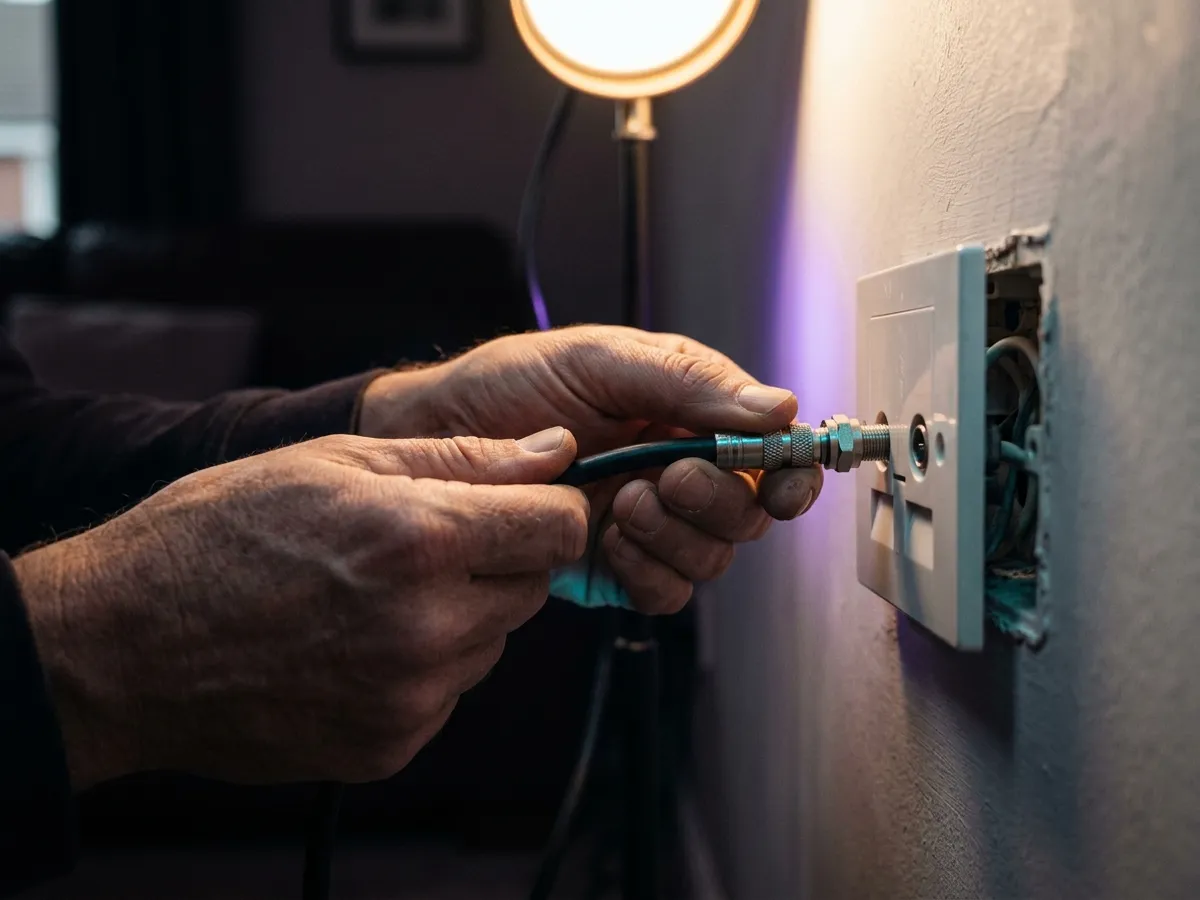
Coaxial cable degrades, and the connector at the wall plate is frequently the weakest point. A cheap replacement lead and a properly seated F-connector resolve a surprising number of complaints.
Remove unnecessary splitters
Every passive splitter feeding another room halves the signal. If you are only using one television, take the splitter out of the chain entirely.
Check your transmitter and predicted reception
Freeview publishes a coverage checker by postcode that tells you which transmitter you should be pointing at and what reception to expect. If it predicts marginal reception, no amount of retuning will help.
Consider a loft or amplified aerial last
Amplifiers boost noise along with signal, so they help only where the signal is weak but clean. In an area with strong signal, an amplifier can make things worse by overloading the tuner.
Which Freeview Play recorder should you buy?
If recording is the reason you are here, the choice is narrower than it used to be but still worth getting right. Our guide to what still records live television compares the current boxes, and Freesat recorders cover the satellite equivalent.
| Consider | Why it matters |
|---|---|
| Disk size | 500 GB holds roughly 300 hours of standard definition or 125 of HD. 1 TB doubles that. Most households overestimate what they need. |
| Number of tuners | Two tuners record two things at once while you watch a third from disk. Single-tuner boxes are cheaper and far more frustrating. |
| App performance | The catch-up apps on a recorder are frequently slower than on a modern television. Check reviews for this specifically. |
| Series link handling | Good boxes follow a series across schedule changes. Poor ones miss episodes when a broadcaster shifts a slot. |
| Noise | Spinning disks and fans are audible in a quiet room. Solid-state options are rare at this price but worth seeking out. |
Humax and Manhattan are the two makers still actively serving this market in Britain. Humax boxes tend to be the more capable, with larger disks and better series handling; Manhattan boxes are cheaper and perfectly competent for straightforward use.
One thing worth understanding before buying: a recorder ties you to that box. Recordings are stored on its disk in an encrypted form and cannot be moved to another device. If the box fails, the recordings go with it. That is the trade for owning permanent copies rather than relying on a cloud Playlist like Sky Stream.
What the channels Freeview Play does not carry cost
Freeview Play covers the free channels and the catch-up players already built into most British televisions. The gap is everything behind a paywall — Sky Sports, TNT Sports, Sky Atlantic and the rest. Both tiers below carry that gap in full: IPTV 4K Ultra in 4K HDR with Dolby Atmos, and IPTV 8K Ultra Max with the widest list and multi-language subtitles.
IPTV 4K Ultra
From £2.86/moCinema-quality HDR & Dolby
True 4K Ultra HD streaming with HDR10+, Dolby Vision and Dolby Atmos. Watch the Premier League in 4K like you are at the ground.
Starter 4K
3 Months
£34.99−31%
£23.99
£8.00/mo
- 27,000+ channels in 4K
- 192,000+ VOD titles in native 4K
- 4K UHD (3840×2160) HEVC
- Full EPG guide
- 1 screen
- 24/7 UK support
- Anti-freeze technology
Secure payment

Standard 4K
6 Months
£54.99−27%
£39.99
£6.67/mo
- 27,000+ channels in 4K
- 192,000+ VOD titles in 4K HDR
- 4K UHD + HDR10+
- EPG + 3-day replay
- 1 screen
- Priority support 24/7
- Anti-freeze servers
Secure payment
Premium 4K
12 Months
2 months free£74.99−27%
£54.99
£3.93/mo
- 27,000+ channels in 4K UHD
- 192,000+ VOD titles in 4K HDR
- 4K UHD + HDR10+ + Dolby Vision
- EPG + 7-day replay
- 1 screen
- VIP WhatsApp support
- Dolby Atmos 5.1 audio
- Free automatic updates
Secure payment
Ultimate 4K
24 Months
4 months free£89.99−11%
£79.99
£2.86/mo
- 27,000+ channels in 4K UHD
- 192,000+ VOD titles in 4K Ultra HD
- 4K + HDR10+ + Dolby Vision
- EPG + 14-day replay
- 1 screen
- VIP WhatsApp instant support
- Dolby Atmos 7.1 surround
- Early access to 4K content
- Optimised HEVC streaming
Secure payment
IPTV 8K Ultra Max
From £3.93/mo8K HDR + Dolby Atmos — the pinnacle
The most advanced plan on the list. True 8K Ultra HD with Dolby Vision HDR and Dolby Atmos sound, 55,000+ live channels, 220,000+ on-demand films and series, and multi-language subtitles on everything.
Starter 8K
3 Months
£39.99−25%
£29.99
£10.00/mo
- 55,000+ live channels in up to 8K
- 220,000+ films & series on demand
- 8K UHD + Dolby Vision HDR
- Dolby Atmos immersive audio
- Multi-language subtitles
- Full EPG guide
- 1 screen
- 24/7 UK support
Secure payment
Standard 8K
6 Months
£69.99−29%
£49.99
£8.33/mo
- 55,000+ live channels in up to 8K
- 220,000+ films & series on demand
- 8K UHD + Dolby Vision HDR
- Dolby Atmos immersive audio
- Multi-language subtitles
- EPG + 3-day replay
- 1 screen
- Priority UK support 24/7
Secure payment
Premium 8K
12 Months
2 months free£99.99−30%
£69.99
£5.00/mo
- 55,000+ live channels in up to 8K
- 220,000+ films & series in 8K / 4K
- 8K UHD + Dolby Vision HDR
- Dolby Atmos object-based audio
- Multi-language subtitles throughout
- EPG + 7-day replay
- 1 screen
- VIP WhatsApp support 24/7
- Free automatic updates
Secure payment
Ultimate 8K
24 Months
4 months free£124.99−12%
£109.99
£3.93/mo
- 55,000+ live channels in up to 8K
- 220,000+ films & series in 8K / 4K
- 8K UHD + Dolby Vision HDR
- Dolby Atmos 7.1+ surround sound
- Multi-language subtitles throughout
- EPG + 14-day replay
- 1 screen
- VIP WhatsApp instant support
- Early access to new 8K content
- Optimised 8K HEVC / AV1 streaming
Secure payment
Neither plan requires an aerial or a new set, which is the practical advantage over the recorder options discussed above. Every term is priced on the pricing page, and our Freely explainer covers the aerial-free free option if that is what you are really after.
Verdict
Our verdict
Freeview Play
Unglamorous, free, and quietly the most dependable television platform in Britain. It is already in your set, it survives outages that take every streaming service offline, and with a recorder it does the one thing modern platforms have quietly dropped. Freely is the more modern product, but for a household with a working aerial this remains the better foundation.
What works
- Completely free, already built into most UK televisions.
- More channels than a broadband-only Freely setup.
- Keeps working when broadband fails.
- Immune to peak-time congestion — broadcast does not queue.
- Recorder boxes give you permanent copies you own.
What doesn’t
- Requires a working, well-aligned aerial.
- No premium sport or drama.
- Only around 15 HD channels, and no 4K.
- Catch-up apps are sluggish on older sets.
- Occasional retunes needed after transmitter changes.
Best for: Any household with an aerial. Combine it with a rolling monthly NOW Membership for sport and you have covered almost everything at minimal cost.
Frequently asked questions
What is Freeview Play, and how is it different from Freeview?
A free hybrid television platform that combines the Freeview channels from your aerial with catch-up services delivered over broadband, unified in one guide you can scroll backwards through for seven days. It is built into most UK televisions sold since 2016.
How many Freeview Play channels do you actually get?
Around 70 standard-definition channels and roughly 15 in HD, depending on your region and transmitter. That is materially more than a broadband-only setup carries, which is the main argument for keeping an aerial connected.
Is Freeview Play free?
Yes. There is no subscription and no contract. The platform charges nothing, but live viewing on it — and any use of BBC iPlayer — still needs a TV Licence.
What is the difference between Freeview and Freeview Play?
Freeview is the broadcast platform — channels through an aerial. Freeview Play adds a broadband layer on top: catch-up apps, on-demand content and a guide that scrolls backwards seven days into programmes already aired. Both use the same aerial for live channels.
Do I need broadband for Freeview Play?
Only for the catch-up half. Live channels come down the aerial and work with no internet at all, which is why the platform keeps running during a broadband outage. The on-demand players need a connection.
Can you record on Freeview Play?
Yes, on a Freeview Play recorder — a set-top box with a hard disk, typically 500 GB to 2 TB, from makers such as Humax and Manhattan. Recordings are stored in your home, never expire, and work without broadband. Freely offers no recording at all.
Is Freeview Play better than Freely?
It depends on your aerial. With one, Freeview Play carries more channels, survives broadband outages and supports recording. Without one, Freely is the only free option and works where an aerial cannot. On a new television that supports both, running them together is the strongest free setup.
Why do some Freeview channels keep pixelating?
Almost always the aerial rather than the television. Channels are grouped into multiplexes broadcast at different powers, so a weak signal takes out a specific cluster while others stay perfect. Retune first, then check the cable and connectors, and remove any unnecessary splitters — every passive splitter halves the signal.
How often do I need to retune Freeview Play?
Only when Everyone TV or your local transmitter changes something, which happens every year or two. A stale channel list looks identical to a reception fault, so a full retune from the setup menu is always the first thing to try when channels go missing.
Can I move Freeview Play recordings to another box?
No. Recordings are stored encrypted on that box’s hard disk and cannot be transferred. If the recorder fails, the recordings are lost with it. That is the trade for owning permanent copies rather than relying on a cloud Playlist.
Does my TV have Freeview Play?
Most UK sets sold since around 2016 do. The quickest check is to open the programme guide and scroll left past the current time — if you reach previous days and can select programmes to play, you have it.
This page is part of our Services hub.
See all services guides