Setup & fixes
How to Set Up IPTV in the UK: A Start-to-Finish Guide
Setting up IPTV in Britain takes about half an hour and needs no engineer, no dish and no aerial. The hard part is not the installation — it is choosing correctly before you buy anything, because the order you make decisions in determines whether you end up with something that suits you or something you regret paying for.
The short answer
- Choose the service first, then the hardware. Never the other way round.
- Two of the six UK options cost nothing at all — start there.
- Wire the device if you can. It is the single biggest quality factor.
- Total setup time is about 30 minutes, most of it signing into apps.
Most guides to setting up IPTV start with hardware, which is exactly backwards. The device is the cheap, easily changed part of the decision; the service is what you will pay for every month and what determines whether the thing does what you wanted. Choose in that order and the rest is straightforward.
This page walks through the whole process from an empty HDMI port to a working television — which service to pick for your circumstances, what hardware runs it, how to connect everything so it performs properly, and what to do on the first evening.
It assumes nothing beyond a television with an HDMI port and a broadband connection. The walkthrough was checked on three devices — a Fire TV Stick 4K Max, a Sky Stream puck and a Humax Freely box — over a 67 Mbps line. For the stick specifically, which IPTV apps work on a Fire TV Stick goes deeper.
How to set up IPTV, step one: work out what you actually watch
Five minutes of honesty here saves a great deal of money later. The question is not "what would be nice to have" but "what did I actually watch last month". Getting this wrong is why most people end up paying for channels they never open — so how to get IPTV right starts here rather than with hardware.
| If you mostly watch… | You need | Monthly cost |
|---|---|---|
| BBC, ITV, Channel 4, Channel 5 | Freely or Freeview Play | Nothing |
| The above plus box sets | Free platform + one streaming subscription | ~£8–£12 |
| Premier League football | NOW Sports | ~£35, cancellable monthly |
| Sky Atlantic and premium drama | NOW Entertainment | ~£10 |
| Everything, in 4K, one interface | Sky Stream, which needs no dish | ~£65, 24-month term |
| A bit of everything, cheaply | Free platform + seasonal NOW | ~£15 averaged over a year |
The full side-by-side comparison, including contract terms and picture quality, is in our round-up of every legal UK service.

Step two: check your broadband honestly
This determines what is realistic, and it is worth measuring rather than assuming. Run a speed test at about 9pm on a weekday — not at midday, when the network is quiet.
8
Mbps — Freely/HD
Almost any UK line clears this.
12
Mbps — 1080p
NOW with Boost sits here.
30
Mbps — one 4K stream
Sky Stream, EE TV, Virgin Stream.
60
Mbps — two 4K streams
Plus normal household use.
Two things matter more than the headline number. Stability beats speed: a steady 40 Mbps outperforms a 200 Mbps line that collapses every evening. And the figure at the device matters, not the figure at the router — in a typical British house with solid internal walls, those are very different numbers.
If your evening speeds are under about 20 Mbps, choose a free platform and skip the 4K services. Freely needs roughly 8 Mbps and works well on connections that would struggle badly with Sky Stream.
Step three: how to get IPTV onto the right hardware
Now, and only now, the device. Which one follows directly from the service you picked. If your provider hands you Xtream Codes details, how IPTV Smarters Pro handles them is the next page.
| Service chosen | Hardware | Cost |
|---|---|---|
| Sky Stream | Sky puck, supplied with the subscription | Included |
| EE TV | EE box, supplied with the broadband | Included |
| Virgin Stream | Virgin box, supplied | Included |
| NOW | Anything you already own, or a Fire TV Stick | £0–£70 |
| Freely | A Freely TV, or a box that adds Freely over HDMI | £50–£110 |
| Freeview Play | Almost certainly already in your television | Usually £0 |
If the television is older than about four years, or its apps are slow or disappearing, a streaming stick is the cheapest meaningful upgrade available — around £40 against several hundred for a new set. The full field is covered in our device comparison.
Step four: how to install IPTV and connect it properly
This is where most of the eventual quality is decided, and it takes about ten minutes. This is where how to set up IPTV either works first time or turns into an evening of buffering, and the deciding factor is almost always the cable rather than the app.
Use the right HDMI port
For 4K, the port must be HDMI 2.0 or later. Televisions frequently mix high-bandwidth and older ports, and using the wrong one silently caps you at HD or drops HDR. The labels are on the back panel.
Power from the mains, not the television
The USB socket on the back of a television is rarely up to the job once the stick is busy. The result is random reboots and Wi-Fi dropping mid-stream, misdiagnosed as a faulty device constantly. Use the supplied adapter into a wall socket.
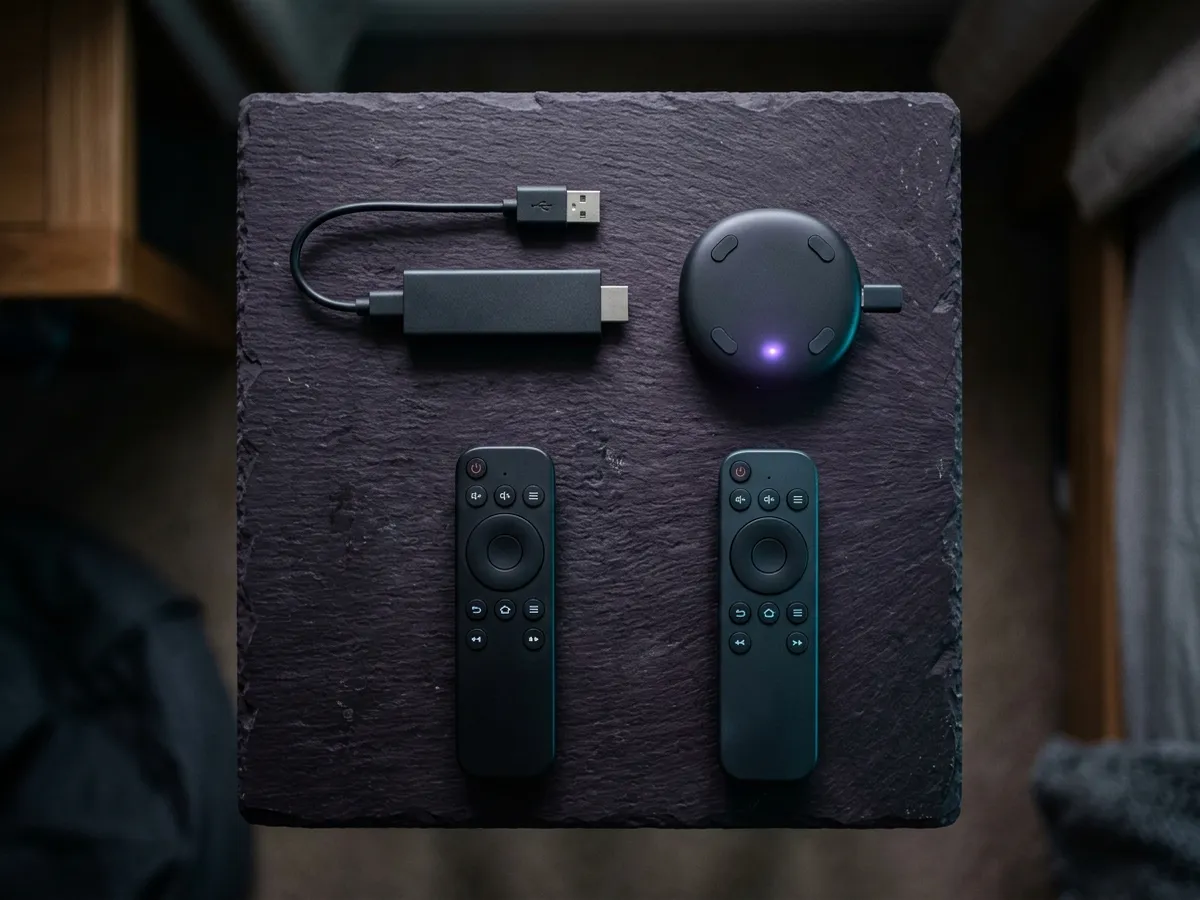
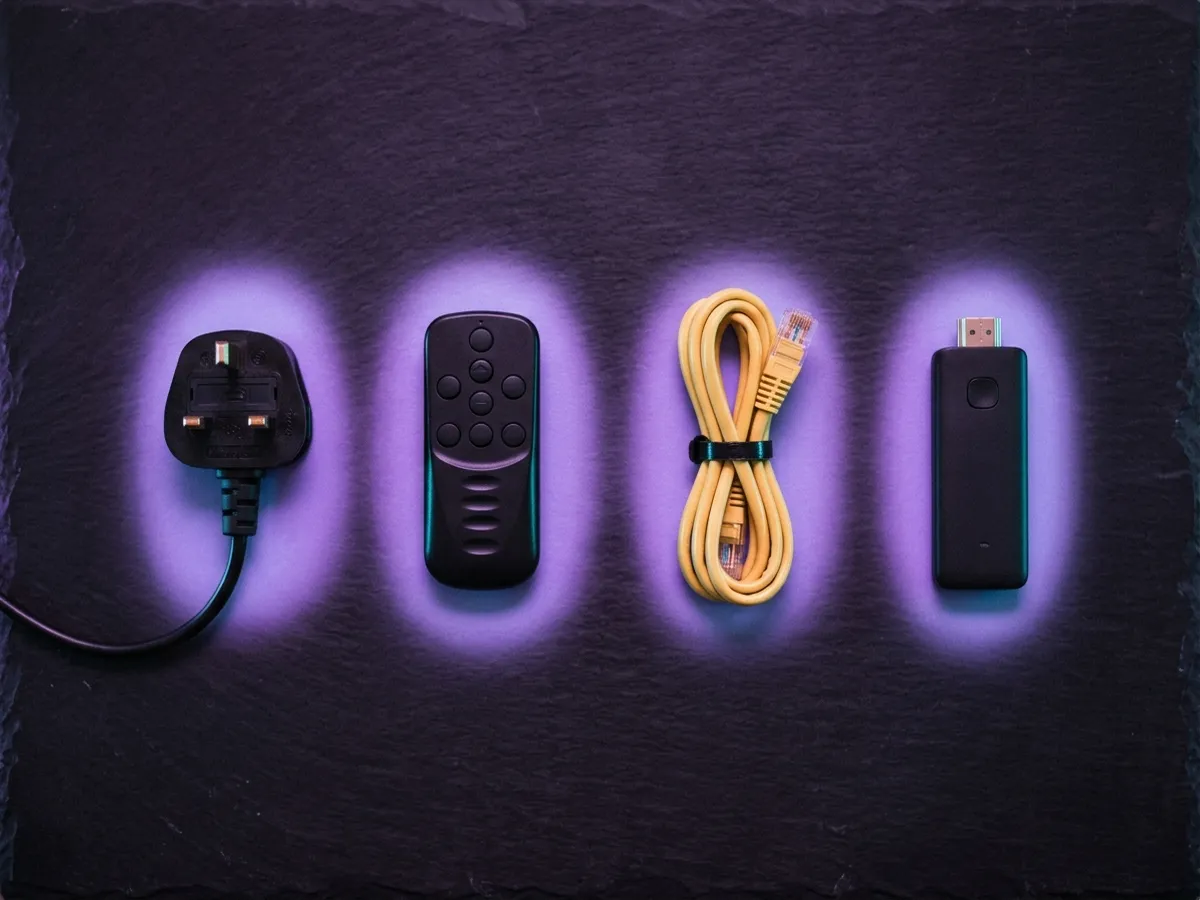
Fit the HDMI extender on a stick
The short cable in the box is a performance component, not packaging. Pushed straight into a recessed port, the stick ends up boxed in by the television’s metal casing, and its wireless range suffers badly.
Wire it, or join 5 GHz explicitly
Ethernet is the single most effective thing you can do for 4K — about £15 for an adapter. Failing that, join the 5 GHz network by name rather than letting the router decide.
Enable HDMI-CEC on the television
Lets one remote handle volume and standby. Manufacturers each brand it differently — Anynet+, Bravia Sync, Simplink, Viera Link. It is the difference between one remote and three.
That fourth step is worth taking seriously. Before paying more each month for faster broadband to fix buffering, spend £15 on a cable — in most British homes the bottleneck is Wi-Fi, not the line.
Step five: how to use IPTV on the first evening
Half an hour of setup now saves a lot of interruption later. Knowing how to install IPTV is only half of it — how to use IPTV well is a matter of testing it when the network is busy, not when it is quiet.
Sign in to every free service in one sitting
iPlayer needs a BBC account and a TV Licence declaration; ITVX, Channel 4, My5 and UKTV Play each want a free account. Do all of them now rather than one at a time on separate evenings.
Set your postcode or region
On Freely and Freeview Play this determines which regional BBC and ITV variants you get. Enter it carefully: a wrong postcode brings in the wrong region’s BBC and ITV news.
Turn off home-screen autoplay
On Fire TV: Settings, Preferences, Featured Content. Trailers playing automatically consume bandwidth and processor time continuously.
Add your paid subscription last
Once the free layer is working, you know what gaps remain. Sign up for exactly those rather than the bundle you assumed you needed.
If you took NOW, cancel it immediately
Counterintuitive but correct. NOW access continues to the end of the period you have paid for, so cancelling on day one costs nothing and removes any chance of an unwanted renewal. See our cancellation guide.
How much is IPTV, and what it should cost
Four realistic configurations, with honest annual totals. Asking how much is IPTV without saying whether you want sport is like asking how much a car costs.
| Setup | One-off | Per month | Per year |
|---|---|---|---|
| Free only — existing TV with Freeview Play | £0 | £0 | £0 |
| Free only — no aerial, Freely box | ~£50–£110 | £0 | £0 after year one |
| Free + apps — Freely box and a Fire TV Stick | ~£100 | £0–£12 | ~£0–£144 |
| Football, seasonally — free platform + NOW Sports 9 months | ~£40 stick | ~£41 in season | ~£370 |
| Everything — Sky Stream fully loaded | £0 | ~£65 | ~£780 |
The gap between the last two rows is the whole argument for buying seasonally. Both give you Premier League football; one costs less than half as much, because there is no contract preventing you from stopping.

The rest of the setup and fixes hub
This page gets you from nothing to a working picture. Everything after that lives in our IPTV troubleshooting hub, and these are the three you are most likely to need next.
- Fixing a Firestick remote — usually a lost pairing rather than a faulty handset.
- Clearing the cache on a Firestick — for when a stick that was quick becomes sluggish a year later.
- Fixing a Sky Q remote — the same Bluetooth pairing fault, different button sequence.
If your IPTV setup UK-side is not working
| Symptom | Most likely cause | Fix |
|---|---|---|
| No picture at all | Wrong HDMI input selected | Cycle through the television’s inputs. Sounds obvious; is usually it. |
| Picture but no 4K | Wrong HDMI port, or 4K is a paid add-on | Use an HDMI 2.0+ port. On Sky Stream, check the UHD add-on is active. |
| Buffering | Wi-Fi, not the broadband line | Fit the HDMI extender, move to 5 GHz, or wire it. |
| Random reboots | Powered from the television’s USB port | Run it off the mains adapter rather than the television. |
| Wrong regional news | Postcode set incorrectly | Correct it in settings and rescan channels. |
| Catch-up will not play from the guide | Not signed in to that service | Sign in to each catch-up service separately before expecting the guide to play from it. |
| One remote for everything not working | HDMI-CEC disabled | Enable it on the television under its manufacturer’s name for the feature. |
For anything beyond first-time setup, our troubleshooting hub works through the diagnostic order — including the distinction between buffering, which is a network problem, and lag, which is a storage one.
IPTV setup UK mistakes first-timers make
Six recur constantly, and all six are avoidable if you know about them beforehand.
- Buying hardware before choosing a service. The commonest and most expensive error. Half the services supply their own box, which means the stick you bought is now redundant. Decide what you are watching first.
- Paying for something the free tier already covers. Freely and Freeview Play carry the main British channels comprehensively. A household that mostly watches soaps, news and terrestrial drama gains very little from a subscription.
- Assuming 4K is included. On Sky Stream it is a separate paid add-on, and on NOW it does not exist at all. People buy 4K televisions specifically for services that will not deliver 4K without an extra payment — or ever.
- Signing a 24-month contract for seasonal viewing. If you want football for nine months a year, a rolling monthly Membership costs substantially less than a fixed term. The contract is the expensive part, not the content.
- Powering a stick from the television’s USB port. It causes random reboots and dropped Wi-Fi that get blamed on the app, the broadband, or the stick being faulty. It is none of those.
- Ignoring the step-up date. Every contract provider prices the first year or so low and raises it on a fixed date, often a year or eighteen months into the term. The increase is contractual. Diarise it on the day you sign.
And one thing people worry about unnecessarily
Broadband speed. The figures providers quote sound demanding, but the reality is that most British connections handle IPTV comfortably. A 4K stream wants around 30 Mbps and everything else wants far less — Freely runs on about 8 Mbps. If your line is over 40 Mbps and stable, you are fine, and the fix for most problems is a £15 Ethernet cable rather than a faster package.
What a subscription costs before you set anything up
Every step in this guide assumes you already have a service to log into. Below is what one costs. Both tiers are shown because the overwhelming reason for setting IPTV up in the first place is live channels and sport: IPTV 4K Ultra streams in 4K with HDR10+ and Dolby Atmos, and IPTV 8K Ultra Max adds Dolby Vision, a wider list and multi-language subtitles.
IPTV 4K Ultra
From £2.86/moCinema-quality HDR & Dolby
True 4K Ultra HD streaming with HDR10+, Dolby Vision and Dolby Atmos. Watch the Premier League in 4K like you are at the ground.
Starter 4K
3 Months
£34.99−31%
£23.99
£8.00/mo
- 27,000+ channels in 4K
- 192,000+ VOD titles in native 4K
- 4K UHD (3840×2160) HEVC
- Full EPG guide
- 1 screen
- 24/7 UK support
- Anti-freeze technology
Secure payment

Standard 4K
6 Months
£54.99−27%
£39.99
£6.67/mo
- 27,000+ channels in 4K
- 192,000+ VOD titles in 4K HDR
- 4K UHD + HDR10+
- EPG + 3-day replay
- 1 screen
- Priority support 24/7
- Anti-freeze servers
Secure payment
Premium 4K
12 Months
2 months free£74.99−27%
£54.99
£3.93/mo
- 27,000+ channels in 4K UHD
- 192,000+ VOD titles in 4K HDR
- 4K UHD + HDR10+ + Dolby Vision
- EPG + 7-day replay
- 1 screen
- VIP WhatsApp support
- Dolby Atmos 5.1 audio
- Free automatic updates
Secure payment
Ultimate 4K
24 Months
4 months free£89.99−11%
£79.99
£2.86/mo
- 27,000+ channels in 4K UHD
- 192,000+ VOD titles in 4K Ultra HD
- 4K + HDR10+ + Dolby Vision
- EPG + 14-day replay
- 1 screen
- VIP WhatsApp instant support
- Dolby Atmos 7.1 surround
- Early access to 4K content
- Optimised HEVC streaming
Secure payment
IPTV 8K Ultra Max
From £3.93/mo8K HDR + Dolby Atmos — the pinnacle
The most advanced plan on the list. True 8K Ultra HD with Dolby Vision HDR and Dolby Atmos sound, 55,000+ live channels, 220,000+ on-demand films and series, and multi-language subtitles on everything.
Starter 8K
3 Months
£39.99−25%
£29.99
£10.00/mo
- 55,000+ live channels in up to 8K
- 220,000+ films & series on demand
- 8K UHD + Dolby Vision HDR
- Dolby Atmos immersive audio
- Multi-language subtitles
- Full EPG guide
- 1 screen
- 24/7 UK support
Secure payment
Standard 8K
6 Months
£69.99−29%
£49.99
£8.33/mo
- 55,000+ live channels in up to 8K
- 220,000+ films & series on demand
- 8K UHD + Dolby Vision HDR
- Dolby Atmos immersive audio
- Multi-language subtitles
- EPG + 3-day replay
- 1 screen
- Priority UK support 24/7
Secure payment
Premium 8K
12 Months
2 months free£99.99−30%
£69.99
£5.00/mo
- 55,000+ live channels in up to 8K
- 220,000+ films & series in 8K / 4K
- 8K UHD + Dolby Vision HDR
- Dolby Atmos object-based audio
- Multi-language subtitles throughout
- EPG + 7-day replay
- 1 screen
- VIP WhatsApp support 24/7
- Free automatic updates
Secure payment
Ultimate 8K
24 Months
4 months free£124.99−12%
£109.99
£3.93/mo
- 55,000+ live channels in up to 8K
- 220,000+ films & series in 8K / 4K
- 8K UHD + Dolby Vision HDR
- Dolby Atmos 7.1+ surround sound
- Multi-language subtitles throughout
- EPG + 14-day replay
- 1 screen
- VIP WhatsApp instant support
- Early access to new 8K content
- Optimised 8K HEVC / AV1 streaming
Secure payment
Buy the tier your equipment can actually use. The setup steps are identical either way — the credentials go into the same fields of the same players — but an 8K stream on a 1080p television is money spent on pixels the panel cannot draw. The pricing page lists every term, including multi-screen Family Packs.
How to get IPTV without buying the wrong thing
While researching this, you will encounter offers that look far better than anything above — every channel, every match, £10 a month. It is worth understanding what those are before spending money.
They are unlicensed. Premier League rights alone cost Sky more than a billion pounds a season, and nobody buys them in bulk to sell on for a tenner. Selling access without a licence is a crime that can carry a prison term, which is why every route in this guide is a licensed one.
The practical objection is simpler still: these services fail during live football, because rights holders obtain High Court orders requiring UK internet providers to block the servers in real time during matches. You would be paying for something that stops working at precisely the moment you wanted it.
The full position, including what enforcement actually looks like and who gets prosecuted, is on our page about whether IPTV is legal in the UK.

Frequently asked questions
How to set up IPTV in the UK — what is the short version?
Work out what you actually watch, check your broadband can sustain it, pick hardware that decodes it, connect by ethernet where you can, and test on a busy evening rather than a quiet afternoon. That is the whole IPTV setup UK households need, and it takes about an hour.
How much is IPTV once everything is set up?
Between nothing and roughly £70 a month depending entirely on whether you want live sport. Free platforms cost nothing beyond the TV Licence; a fixed-term subscription runs from about £2.22 a month; a full Sky package with sport lands near £68.
How to use IPTV and keep my aerial at the same time?
Yes, if the property has a working one. Leave it plugged into the television’s own tuner. It costs nothing, and Freeview keeps broadcasting during a broadband outage when every streaming service in the house goes dark. Broadcast is also immune to peak-time congestion, so it holds up during major live events when unicast platforms wobble.
What is the biggest mistake in an IPTV setup UK households make?
Buying hardware before choosing a service. Half the UK platforms supply their own box as part of the subscription, so a stick bought in advance frequently turns out to be redundant. The second most expensive mistake is signing a 24-month contract for viewing that is genuinely seasonal — a rolling monthly Membership taken for nine months costs substantially less.
How do I set up IPTV in the UK?
Choose the service first, then the hardware. Check what your television already supports, connect the device to an HDMI 2.0 port powered from the mains, wire it to the router or join 5 GHz Wi-Fi, sign in to the free catch-up services, then add a paid subscription only for what the free layer does not cover. It takes about half an hour.
How much does IPTV cost in the UK?
Nothing at all for Freely or Freeview Play, which cover the main British channels. NOW starts around £10 a month with no contract, and Sky Stream fully loaded is around £65. A common sensible setup — free platform plus NOW Sports taken seasonally — averages roughly £30 a month across a year.
What do I need to watch IPTV?
A broadband connection, something to decode the stream, and a service. Most households already have the first two — any smart television, streaming stick, games console or tablet from the last several years will do. Only the service is a genuine decision.
Do I need an aerial to set up IPTV?
No. IPTV arrives over broadband, which is the point of it. If the property does have a working aerial, leave it connected anyway — it costs nothing and Freeview keeps working during a broadband outage when every streaming service goes dark.
How long does IPTV setup take?
About thirty minutes, most of it spent signing into apps rather than installing anything. The hardware side — plugging in, connecting to the network — takes ten minutes. There is no engineer visit and nothing is attached to the building.
What internet speed do I need to set up IPTV?
Around 8 Mbps for Freely, 12 Mbps for 1080p on NOW with Boost, and 30 Mbps per 4K stream on Sky Stream, EE TV or Virgin Stream. Measure at the device at about 9pm rather than at the router at midday — stability matters more than the headline figure.
Can I set up IPTV myself or do I need an engineer?
Entirely yourself. No IPTV service in the UK requires an installation visit — the hardware arrives by post and plugs into an HDMI port. The only engineer involvement is if you are also having new broadband installed, which is a separate job.
This page is part of our Setup & fixes hub.
See all setup & fixes guides