Services
EE TV Review: Packages, the Box Pro and Whether to Bundle
EE TV is what happened when BT folded its consumer brands into EE and rebuilt the television offering from scratch. The result is genuinely good — a capable 4K box with a real hard disk, sensible packages and pricing that undercuts Sky when bundled. The catch is unavoidable: you can only have it if EE supplies your broadband.
The short answer
- Only available alongside EE broadband — there is no standalone option.
- The EE TV Box Pro has a hard disk, so recordings are genuinely yours.
- Carries both TNT Sports and Sky content, which few platforms do.
- Switching broadband later means losing the television too.
BT TV was, for years, the quietly competent option nobody talked about. When BT consolidated its consumer business under the EE brand, that platform was rebuilt and relaunched as EE TV — and in the process it became considerably more interesting than its predecessor ever was.
The proposition is straightforward: EE supplies your broadband, and for a modest additional sum it also supplies your television, through a box that plugs into an HDMI port and pulls everything over the same line. There is no dish and no engineer beyond the broadband installation you were having anyway.
We ran EE TV with the Box Pro for three months alongside our other test platforms. It is a better product than its profile suggests, and the reasons to hesitate are commercial rather than technical.
What EE TV is
EE TV is an IPTV platform delivered over EE broadband, using an EE-supplied set-top box. It aggregates live channels, on-demand services and third-party apps into a single guide, and it is sold as an add-on to a broadband package rather than as a standalone service.
At a glance
- Owner
- BT Group, trading as EE
- Requires
- EE broadband — no standalone option
- Hardware
- EE TV Box Pro, or a standard box
- Max quality
- 4K UHD with HDR
- Audio
- Dolby Atmos on Box Pro
- Recording
- Yes — hard disk in the Box Pro
- Sport
- TNT Sports and Sky Sports available
- Minimum term
- Tied to the broadband contract
The bundling requirement is the defining feature and needs stating plainly: EE TV cannot be bought on its own. If you are happy on your current broadband provider, this platform is not available to you regardless of how good the television package looks.
What hardware does EE TV use?
EE TV Box Pro
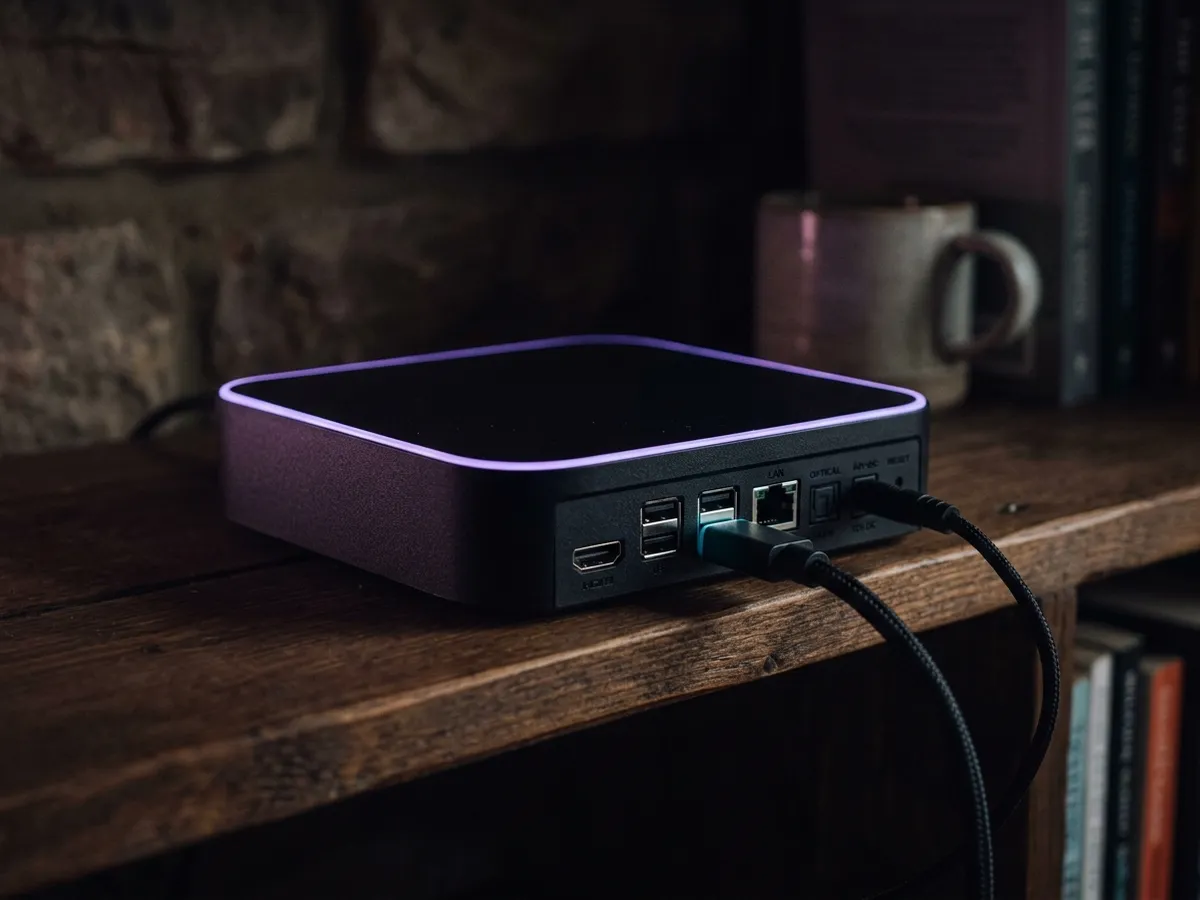
The flagship, and the reason to take EE TV seriously. It is a proper set-top box rather than a puck — larger, heavier, with active cooling and, critically, a hard disk. It outputs 4K HDR, supports Dolby Atmos, has an Ethernet port and runs a version of Android TV, which means Google Play and a wide app selection.
The hard disk matters more than any other spec on this page. In a market where the puck-based Sky service has replaced recording with a cloud Playlist that can expire, and Freely has no recording at all, EE is one of the few platforms still letting you keep a permanent copy of something. Recordings sit in your house, survive a broadband outage, and let you fast-forward through adverts.
The standard box
Included with lower tiers. It streams 4K perfectly well but has no hard disk, relying on cloud storage instead. If recording matters to you, pay for the Pro. If it does not, the standard box does everything else adequately.
| Standard box | Box Pro | |
|---|---|---|
| 4K HDR | Yes | Yes |
| Dolby Atmos | Limited | Yes |
| Hard disk | No | Yes |
| Recording | Cloud only | Local, permanent |
| Android TV apps | Yes | Yes |
| Ethernet | Yes | Yes |
| Included with | Entry tiers | Higher tiers, or a fee |
How much does EE TV cost?
EE structures television as tiers layered on a broadband package, with content add-ons on top. Pricing moves frequently and is heavily promoted, so treat these as indicative.
| Tier | Approx. add-on cost | What it includes |
|---|---|---|
| EE TV Essentials | ~£12 | The box, Freeview channels, the main catch-up apps and a basic entertainment selection. |
| EE TV Extra | ~£20 | Essentials plus a broader entertainment line-up and typically the Box Pro. |
| TNT Sports add-on | ~£18 | Champions League, Premier League matches, boxing, UFC, MotoGP. |
| Sky Sports add-on | ~£25 | The Sky Sports channels, delivered through the EE platform. |
| Netflix / Discovery+ | Varies | Bundled into higher tiers or added individually. |
| Full Works | ~£45–£55 | Everything — both sports packages plus entertainment and streaming apps. |
The genuinely distinctive item is carrying both TNT Sports and Sky Sports on one platform. TNT holds Champions League rights alongside a share of Premier League fixtures, and getting both without juggling two subscriptions and two apps is a real convenience that neither Sky nor NOW matches as neatly.
How the total compares
Judged as an add-on cost, EE TV consistently undercuts Sky. Judged as a total household bill — broadband plus television — the comparison depends entirely on whether EE’s broadband is competitive on your street, which varies enormously. Do that arithmetic before assuming the bundle saves money.
What is the EE TV interface like?
Competent, clear, and a step behind Sky. The guide is conventional and easy to read, the recording interface is straightforward, and content is organised sensibly across rails.
Where it falls short is cross-app intelligence. Search covers EE’s own content and the integrated services well, but it does not unify everything the way Sky Stream does — you still end up knowing which app a thing lives in more often than you should. It is a meaningful gap, though a smaller one than it was under BT TV.
Sport is handled well. Fixtures across both TNT and Sky are surfaced in one place, which is exactly the thing you want when you are paying for both.
30
Mbps recommended
Per 4K stream.
1 TB
Box Pro disk
Several hundred hours of HD.
4K
Max resolution
HDR, with Atmos on the Pro.
2
Providers of sport
TNT and Sky on one platform.

Do you need EE broadband for EE TV?
This deserves its own section because it is the thing most likely to cause regret, and it is easy to underweight at sign-up.
Tying television to broadband means the two decisions stop being separable. Three consequences follow.
- Switching broadband means losing your television. If a rival offers a better line in eighteen months, moving costs you the TV platform, the box and any recordings on it. That is a real switching cost, and it is presumably the point.
- You cannot pause it seasonally. Unlike NOW, there is no dropping the sport for the summer. The television add-on is part of a broadband contract with a term.
- Your negotiating position weakens. Bundled customers are harder to move, which is worth remembering when the introductory rate expires and you ring to haggle.

Who is EE TV for?
Households already on EE broadband, or happy to move to it, that expect to stay put for the length of the contract. The television itself is good; the catch is that leaving EE broadband later means losing the TV service and its box as well.
| If this is you… | Verdict |
|---|---|
| Already on EE broadband | Strong yes — the add-on cost is competitive and the Box Pro is good. |
| Moving house and choosing a new provider | Worth serious consideration as a bundle. |
| You want both TNT and Sky Sports | The neatest single-platform way to do it in Britain. |
| You want permanent recordings | One of very few platforms still offering a real hard disk. |
| Happy with your current broadband | Not available. Look at Sky Stream or NOW instead. |
| You switch providers regularly to chase deals | Avoid — bundling is designed to stop exactly that. |
| Your viewing is seasonal | Avoid — no way to drop sport for the summer. |
The short version: EE TV is a good product wrapped in a commercial structure that suits settled households and penalises movers. Judge the structure as carefully as the box.
What is EE TV like to live with?
Because the television arrives with the broadband, setup is folded into the same appointment or self-install kit. There is nothing to mount and nobody needs to drill anything.
Get the broadband working first
The box is useless until the line is live. If EE is sending an engineer, the television box usually arrives separately by post and can be set up afterwards.
Wire the box to the router if you can
The Box Pro has an Ethernet port and 4K streams benefit substantially from using it. This is the single biggest determinant of how good the experience feels, and it is worth running a cable even across a room.
Sign in with your EE account
The box authenticates against your broadband account, which is how it knows which packs you have. Have the account details to hand rather than hunting for them mid-setup.
Add the third-party apps
Netflix, Disney+, Prime Video and the catch-up players each need their own sign-in. Doing them all at once saves interruptions later.
Set up series recordings early
On the Box Pro, set series links for anything you follow before you need them. The disk is generous and there is no reason to be sparing.
Common problems
| Problem | Cause | Fix |
|---|---|---|
| 4K content plays in HD | Bandwidth, or an HDMI cable that is not up to it | Wire the box, and use a high-speed HDMI lead into an HDMI 2.0 or later port. |
| Sport add-on not appearing | Entitlement not refreshed after a package change | Restart the box. Entitlements are pulled at boot and a package change mid-session will not show until then. |
| Recordings failing | Disk full, or a schedule change broke the series link | Confirm there is disk space left, then set the series link again. Broadcasters moving slots is the usual culprit. |
| Apps slow after several months | Cache accumulation on an Android TV device | Clear individual app caches in settings rather than factory resetting the box. |
| Buffering at peak times | Broadband congestion | Test throughput at 9pm versus overnight. If it collapses at peak, that is a line issue to raise with EE. |
One convenience of the bundled model is worth acknowledging: when something breaks, there is only one company to ring. Anyone who has been passed between a broadband provider and a television provider each blaming the other will recognise the value of that.
How does EE TV compare with Sky and Virgin?
EE sits between the two. It records to a disk on its better box, which Sky Stream cannot, and carries more apps; it trails Sky on interface. Against Virgin Stream it is stronger almost everywhere except monthly flexibility. And like Virgin, it is sold only with its own broadband.
| EE TV | Sky Stream | Virgin Stream | |
|---|---|---|---|
| Standalone purchase | No | Yes | No |
| Requires their broadband | Yes | No | Yes |
| Hard-disk recording | Yes, on Box Pro | No | No |
| 4K HDR | Yes | Yes, paid add-on | Yes |
| Sky Sports | Add-on | Add-on | Add-on |
| TNT Sports | Add-on | Add-on | Add-on |
| App store | Google Play | Curated only | Curated only |
| Interface quality | Good | Best in market | Weakest of the three |
| Seasonal pausing | No | No | Packs are monthly |
Read across that table and EE’s position is clear enough. It beats Sky Stream on recording and app breadth, loses on interface, and differs fundamentally on whether you can buy it at all without switching broadband. Against Virgin Stream it wins on almost everything except the ability to drop packs month by month. Against the dish-based options, Sky on a dish still records to a hard disk where EE’s cheaper boxes do not.
If none of the bundled options appeals because you want to keep your broadband decision separate, that points at Sky Stream for a full line-up or NOW for flexibility.
Can you get the channels without EE broadband?
EE TV prices its packages as an add-on to an EE broadband contract, which makes the true cost hard to read and effectively ties the television to the line. The plans below are standalone. Both tiers are listed because EE TV’s appeal is its channel bundling and its sport: IPTV 4K Ultra covers both in 4K HDR, and IPTV 8K Ultra Max carries a wider list. Costed side by side, that is our own plan list, a Freely box for the free channels, or what every streaming service charges if on-demand is all you want.
IPTV 4K Ultra
From £2.86/moCinema-quality HDR & Dolby
True 4K Ultra HD streaming with HDR10+, Dolby Vision and Dolby Atmos. Watch the Premier League in 4K like you are at the ground.
Starter 4K
3 Months
£34.99−31%
£23.99
£8.00/mo
- 27,000+ channels in 4K
- 192,000+ VOD titles in native 4K
- 4K UHD (3840×2160) HEVC
- Full EPG guide
- 1 screen
- 24/7 UK support
- Anti-freeze technology
Secure payment

Standard 4K
6 Months
£54.99−27%
£39.99
£6.67/mo
- 27,000+ channels in 4K
- 192,000+ VOD titles in 4K HDR
- 4K UHD + HDR10+
- EPG + 3-day replay
- 1 screen
- Priority support 24/7
- Anti-freeze servers
Secure payment
Premium 4K
12 Months
2 months free£74.99−27%
£54.99
£3.93/mo
- 27,000+ channels in 4K UHD
- 192,000+ VOD titles in 4K HDR
- 4K UHD + HDR10+ + Dolby Vision
- EPG + 7-day replay
- 1 screen
- VIP WhatsApp support
- Dolby Atmos 5.1 audio
- Free automatic updates
Secure payment
Ultimate 4K
24 Months
4 months free£89.99−11%
£79.99
£2.86/mo
- 27,000+ channels in 4K UHD
- 192,000+ VOD titles in 4K Ultra HD
- 4K + HDR10+ + Dolby Vision
- EPG + 14-day replay
- 1 screen
- VIP WhatsApp instant support
- Dolby Atmos 7.1 surround
- Early access to 4K content
- Optimised HEVC streaming
Secure payment
IPTV 8K Ultra Max
From £3.93/mo8K HDR + Dolby Atmos — the pinnacle
The most advanced plan on the list. True 8K Ultra HD with Dolby Vision HDR and Dolby Atmos sound, 55,000+ live channels, 220,000+ on-demand films and series, and multi-language subtitles on everything.
Starter 8K
3 Months
£39.99−25%
£29.99
£10.00/mo
- 55,000+ live channels in up to 8K
- 220,000+ films & series on demand
- 8K UHD + Dolby Vision HDR
- Dolby Atmos immersive audio
- Multi-language subtitles
- Full EPG guide
- 1 screen
- 24/7 UK support
Secure payment
Standard 8K
6 Months
£69.99−29%
£49.99
£8.33/mo
- 55,000+ live channels in up to 8K
- 220,000+ films & series on demand
- 8K UHD + Dolby Vision HDR
- Dolby Atmos immersive audio
- Multi-language subtitles
- EPG + 3-day replay
- 1 screen
- Priority UK support 24/7
Secure payment
Premium 8K
12 Months
2 months free£99.99−30%
£69.99
£5.00/mo
- 55,000+ live channels in up to 8K
- 220,000+ films & series in 8K / 4K
- 8K UHD + Dolby Vision HDR
- Dolby Atmos object-based audio
- Multi-language subtitles throughout
- EPG + 7-day replay
- 1 screen
- VIP WhatsApp support 24/7
- Free automatic updates
Secure payment
Ultimate 8K
24 Months
4 months free£124.99−12%
£109.99
£3.93/mo
- 55,000+ live channels in up to 8K
- 220,000+ films & series in 8K / 4K
- 8K UHD + Dolby Vision HDR
- Dolby Atmos 7.1+ surround sound
- Multi-language subtitles throughout
- EPG + 14-day replay
- 1 screen
- VIP WhatsApp instant support
- Early access to new 8K content
- Optimised 8K HEVC / AV1 streaming
Secure payment
Because nothing here is tied to a broadband provider, changing line does not disturb the subscription — a genuine difference from every bundled TV package covered in this hub. See the pricing page for all terms, or the services hub for the other platforms compared.
Is EE TV worth it? Our verdict
Our verdict
EE TV
A genuinely capable platform that deserves more attention than it gets. The Box Pro’s hard disk is increasingly rare and increasingly valuable, carrying both TNT and Sky Sports is a real advantage, and the bundled pricing is competitive. What holds it back is the requirement to take EE broadband, which converts a television decision into a much larger one.
What works
- Box Pro includes a real hard disk for permanent recordings.
- Both TNT Sports and Sky Sports on one platform.
- Android TV underneath, so a wide app selection.
- Competitive pricing when bundled with broadband.
- One bill, one provider, one support line.
What doesn’t
- Requires EE broadband — no standalone purchase.
- Switching broadband later costs you the television too.
- No way to pause sport out of season.
- Interface and cross-app search trail Sky Stream.
- Value depends entirely on EE broadband being good at your address.
Best for: Settled households already on, or about to join, EE broadband — particularly those who want both sports providers and still value a real hard disk.
Frequently asked questions
What is EE TV?
BT Group’s television platform, sold under the EE brand and delivered over EE broadband through a set-top box. It replaced BT TV and combines live channels, catch-up, streaming apps and sport add-ons in one guide, with no dish or aerial required.
Can I get EE TV without EE broadband?
No. EE TV is only available as an add-on to an EE broadband package. There is no standalone option, which is the single biggest limitation of the platform.
What is the EE TV Box Pro?
EE’s flagship set-top box — 4K HDR, Dolby Atmos, Android TV with Google Play, and crucially a hard disk of around 1 TB for local recordings. It is included with higher tiers or available for a fee, and the disk is the main reason to choose it over the standard box.
How much does EE TV cost?
Around £12 a month as an add-on for the entry tier, rising to roughly £45–£55 for the Full Works package with both TNT Sports and Sky Sports. That sits on top of an EE broadband package, so compare the total household bill rather than the add-on alone.
Can you record on EE TV?
Yes, on the Box Pro, which has a physical hard disk. What the Box Pro records stays on its own disk: it survives a broadband outage, outlasts any rights deal, and lets you skip the adverts. The standard box relies on cloud storage instead.
Does EE TV have Sky Sports?
Yes. EE carries both Sky Sports and TNT Sports as add-ons, which makes it one of the few UK platforms offering both through a single box and a single guide.
Is EE TV the same as BT TV?
It is the successor to it. When BT Group consolidated its consumer brands under EE, BT TV was retired and the platform rebuilt and relaunched as EE TV. Existing BT TV customers were migrated across. The hardware and the guide are both substantially different from the old BT product.
Does EE TV work on Wi-Fi or does it need Ethernet?
Both work, but Ethernet is strongly preferable for 4K. The boxes have a wired port and a 4K stream wants around 30 Mbps sustained, which Wi-Fi through internal walls frequently cannot hold. Wiring the box is the single biggest improvement most households can make to the experience.
Can I take EE TV with me if I move house?
Only if EE broadband is available at the new address and you move the broadband account with you. Because the television is tied to the broadband contract, an address EE cannot serve means losing the platform, the box and any recordings stored on it.
What happens to EE TV if I switch broadband?
You lose it. The television service is tied to the EE broadband contract, so moving provider means giving up the platform, returning the box and losing any recordings stored on it. This is worth weighing before committing.
This page is part of our Services hub.
See all services guides