Players & apps
IPTV Smarters Pro: What It Is, and What It Is Not
IPTV Smarters Pro is the most downloaded IPTV player in Britain and the source of an enormous amount of confusion. It is not a service. It has no channels. It is a media player that accepts a playlist you supply — and the reason so many people believe otherwise is that resellers distribute rebranded copies of it bundled with their own subscriptions.
The short answer
- It is a player app. It ships with zero content, channels or subscriptions.
- Dozens of "different" IPTV apps are rebranded copies of this one codebase.
- The app is legal. What you load into it determines whether your use is.
- For ordinary UK television the official apps are a better experience.
If you have encountered IPTV at all in Britain, you have encountered IPTV Smarters. It is the app most resellers tell customers to install, the one most tutorials cover, and the name most likely to appear in a WhatsApp message alongside a server address and a password.
That ubiquity has created a widespread misconception: that IPTV Smarters is itself a television service. It is not, and understanding why matters — both for using it properly and for understanding the legal position, which is far clearer than the confusion around it suggests.
This guide covers what the app actually does, how the rebranding ecosystem works, how to configure it correctly, and when you would be better off with something else.
What the IPTV Smarters player actually is
IPTV Smarters Pro is a media player application built by WHMCS Smarters, a software company that sells white-label streaming software to businesses. Its purpose is to take a playlist and present it as a television interface — a channel list, a programme guide, on-demand sections, and a video player.
At a glance
- Type
- Media player application
- Content included
- None whatsoever
- Platforms
- Android, Fire TV, Android TV, iOS, Windows, macOS
- Input methods
- Xtream Codes API, M3U URL, M3U file
- EPG
- XMLTV, via the playlist source or a separate URL
- Cost
- Free; white-label versions are sold to businesses
- Business model
- Licensing the codebase to resellers
That last line explains almost everything else about this app. WHMCS Smarters does not make money from viewers — it makes money by licensing rebranded versions of the player to businesses that want their own branded app. Which is entirely legitimate as a software business, and also the reason the ecosystem around it looks the way it does.
Why there are fifty versions of Smarters IPTV
Search any app store for IPTV players and you will find dozens of apps with near-identical interfaces under completely different names. This is not coincidence and it is not plagiarism.
The white-label model works like this: a business pays for a rebranded build of the Smarters codebase with its own name, logo and colour scheme, and optionally with its own server address pre-configured. The customer installs "SkyMegaTV Player" and never knows they are running Smarters underneath.
Practical guidance follows from this. Install the original from an official store, not a rebrand from a link someone sent you. You get the same software, without a stranger’s server configuration and without whatever else was added to the build along the way.
This also explains the wildly inconsistent reviews. People reviewing "IPTV Smarters" are frequently reviewing different rebuilds of different vintages with different modifications, which is why one person reports it works flawlessly and another says it is riddled with adverts.
What it does well
Judged purely as a media player — which is the only fair way to judge it — it is competent and in some respects genuinely good.
- Xtream Codes API support is solid, including account expiry display and connection limits, which plain M3U cannot carry.
- EPG handling is reasonably forgiving. It copes with imperfect tvg-id matching better than several competitors, which prevents a lot of guide-related frustration.
- Multi-playlist support lets you hold several sources and switch between them.
- Separate live, film and series sections rather than dumping everything into one channel list.
- Broad platform coverage — the same interface on Fire TV, Android TV, a phone and Windows.
- Adjustable buffer and decoder settings, which matter on an unstable connection.
Where it falls short
- The interface is phone-first. It works with a remote but was clearly designed for a touchscreen, and it shows on a television.
- Some builds carry adverts, varying by rebrand and version.
- Support is essentially nonexistent for individual users, since the company’s customers are businesses.
- Software decoding fallback is poor. On a device without hardware HEVC, 4K stutters badly.
- Version fragmentation is severe. "IPTV Smarters Pro" refers to several different apps of different ages.
Compared against the alternatives in our player comparison, it sits in the middle: more capable than the simplest apps, less polished on a television than Tivimate, and far less appropriate than Jellyfin for a home media server.
How to install IPTV Smarters Pro on Firestick and other devices
Assuming you have a playlist you are entitled to use — your own network tuner, a media server, or a freely licensed list — configuration is straightforward. An IPTV Smarters Pro Firestick install is the commonest case by a wide margin, so that is the one worked through in full below.
Install from an official store
The Amazon Appstore on Fire TV, Google Play on Android. Search for the original rather than a rebrand. Skip APK download sites altogether — doctored copies are widespread, and the stick sits on the same network as your laptop.
Choose your login method
The app offers Xtream Codes API (server address, username, password) or Load Playlist (an M3U URL or file). Xtream gives structured categories and account details; M3U is simpler and works offline if the file is local.
Enter the details exactly
Server addresses are case-sensitive and must include the correct port. A single wrong character produces a generic failure message that tells you nothing useful.
Add the EPG source if it is separate
Xtream sources usually supply guide data automatically. A plain M3U almost never does — you will need to add an XMLTV URL separately in settings.
Set the decoder to hardware
In player settings, choose hardware decoding rather than software. This is the difference between smooth 4K and a slideshow on modest hardware.
Raise the buffer if streams stutter
A larger buffer trades a slightly longer start delay for far fewer interruptions. On a variable connection this is the single most effective setting.
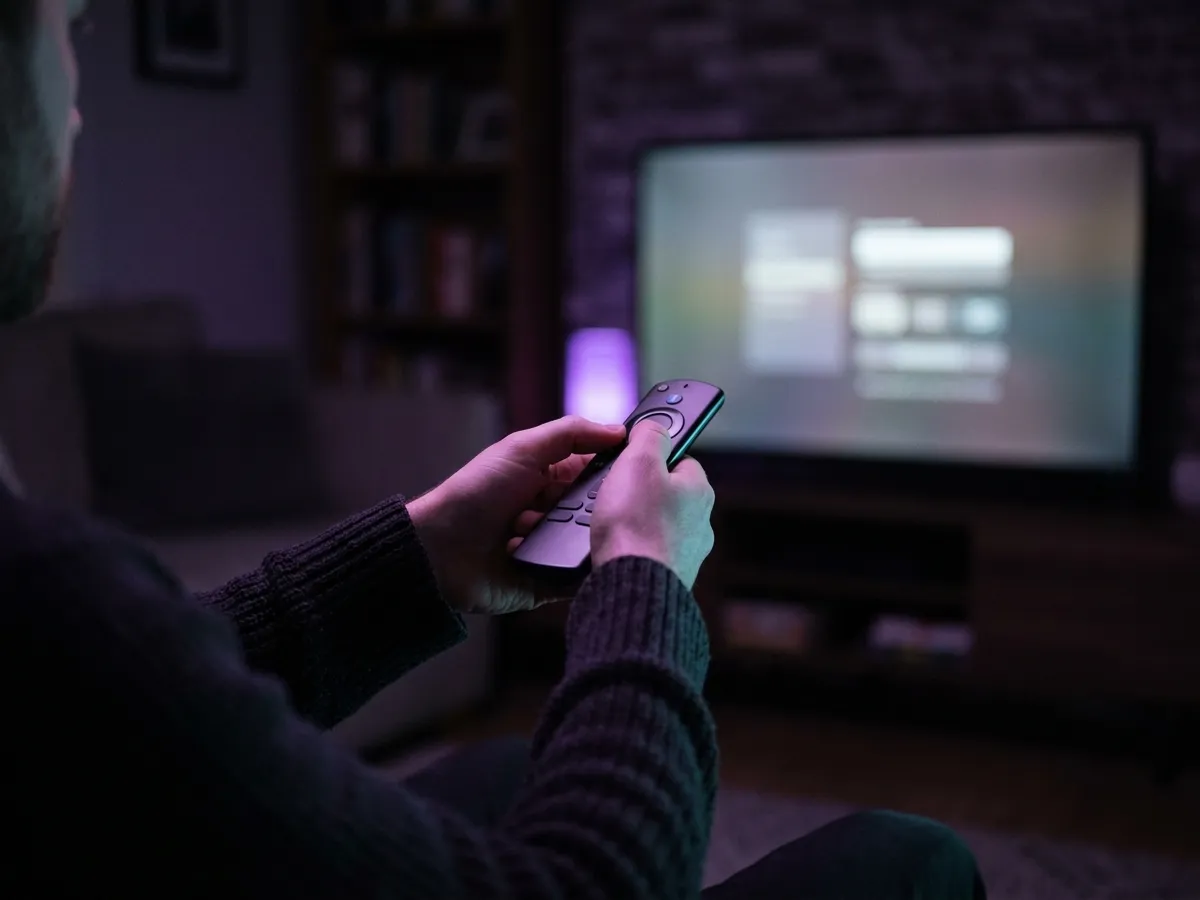
Why is IPTV Smarters Pro not working?
Most failures are the playlist rather than the app. An expired or mistyped URL, a provider that has gone offline, EPG data that will not match because tvg-id values are wrong, or a codec the device cannot decode. The table below maps each symptom to its cause.
| Problem | Likely cause | Fix |
|---|---|---|
| "Invalid credentials" or generic login failure | Wrong port, typo, or an expired source | Check the server address character by character, including the port. Test the same URL in a browser. |
| Channels list loads but nothing plays | Source is unreachable, or a connection limit is hit | Xtream sources cap simultaneous connections. Sign out elsewhere, then retry. |
| No programme guide | EPG URL missing, or tvg-id mismatch | Add the XMLTV source in settings and compare ids. See our EPG explainer. |
| Stuttering on 4K | Software decoding, or no hardware HEVC | Switch to hardware decoding. If the device lacks an HEVC decoder, no setting will fix it. |
| App crashes on launch | Corrupt cache or a bad build | Clear the app cache, then reinstall from the official store rather than the original source. |
| Everything fails during live football | Court-ordered blocking of an unlicensed source | This is not an app fault. See the legal position. |
That last row is worth naming directly. A player that works perfectly all week and fails every Saturday afternoon is not malfunctioning — it is pointing at a source being blocked by a live High Court order under section 97A of the CDPA. No configuration change addresses that.
Which IPTV Smarters settings actually matter?
Most of the app’s settings are cosmetic. Four are not, and getting them right is the difference between a player that works and one you conclude is broken. Buffering that survives every setting change is usually the connection rather than the app — how IPTV actually works explains why, and setting IPTV up properly covers the fix.
Decoder: hardware, hardware+, or software
The single most consequential setting. Hardware uses the dedicated video decoding block in the device’s chip — fast, cool and efficient. Software decodes on the general-purpose processor, which is dramatically slower and will drop frames on anything demanding. Hardware+ is an intermediate mode that forces hardware decoding even for formats the app is unsure about.
Default to hardware. Only fall back to software if a specific stream refuses to play at all, and expect it to stutter if you do. On a device without a hardware HEVC decoder, no setting recovers smooth 4K — that is a hardware limitation, covered in our device guide.
Buffer size
Controls how much video the app holds ahead of playback. A larger buffer means a longer wait when you change channel, and far fewer interruptions afterwards. On a stable wired connection a small buffer feels responsive. On Wi-Fi in a British flat, raising it is usually the right call.
If you are getting frequent short stutters rather than long stalls, this is the first setting to change. Increase it in steps and test rather than jumping straight to the maximum, which makes channel surfing tedious.
EPG time shift
If your guide data is correct but displayed an hour out, this is the fix. XMLTV timestamps carry a UTC offset, and mismatches surface predictably in Britain the week the clocks change. A manual shift of plus or minus one hour corrects it without touching the source file.
Auto-start and last-channel memory
Useful on a dedicated device — the app launches with the television and resumes where you left off, which makes it behave more like a set-top box than an app. Less useful on a shared device where you also use other services.
| Symptom | Setting to change |
|---|---|
| 4K stutters, device runs hot | Decoder → hardware |
| Frequent short stutters | Buffer size → increase |
| Long wait on channel change | Buffer size → decrease |
| Guide shifted by an hour | EPG time shift |
| Stream will not start at all | Decoder → software, as a diagnostic only |
| App forgets everything on restart | Enable auto-start and last-channel |
Is IPTV Smarters Pro legal?
What is an offence is supplying — or knowingly using — a playlist or set of credentials that unlocks subscription channels without a licence. In law that counts as supplying an unauthorised decoder, one of the more serious offences on the copyright statute book. Under section 297, dishonestly receiving a broadcast to avoid a charge is a summary offence carrying a fine.
The app is the container. The playlist is the content. Only one of those two things can be unlawful, and it is not the app.
We do not link to playlist sources, because the ones people typically search for alongside this app are unlicensed. If what you actually want is UK television, the legal services comparison covers every licensed option, and a rolling monthly Membership taken seasonally costs less than most people expect.

Should you use it?
Only if you already have a legitimate source to point it at, such as a network tuner, a media server or a public channel list. For ordinary British television it is the wrong tool entirely — the broadcasters’ own apps do that job better, and for a home server its own app usually beats it.
| If this is you… | Verdict |
|---|---|
| Running a home network tuner or media server | Reasonable choice, though Jellyfin’s own apps are better integrated. |
| Using freely licensed public channel lists | Yes. This is a sensible tool for that job. |
| Wanting to watch normal British television | No. Use Freely, iPlayer, ITVX, NOW or Sky Stream — all better experiences. |
| Handed a rebranded build with a server pre-configured | Do not install it. Get the original from an official store instead. |
| Troubleshooting a playlist | Use VLC instead. It is far more informative about why something failed. |
| On a Samsung or LG smart TV | Smart IPTV is built for that platform and works better there. |
The honest summary: it is a decent player that has become the default largely through distribution rather than merit. For the legitimate use cases it handles the job. For watching British television it is the wrong tool, and the official apps beat it comfortably on every measure that matters. If you are choosing between player apps generally, what an IPTV player actually does compares them, and Smart IPTV on a television covers the smart-TV alternative.
Frequently asked questions
What is the difference between IPTV Smarters and Smarters IPTV?
Nothing — they are the same app described two ways round, and the confusion is why so many lookalike listings exist. The IPTV Smarters player you want is the one your provider names explicitly. Anything else claiming the brand should be treated with suspicion.
Does IPTV Smarters work on a smart TV?
On Android TV-based sets, yes, through the Google Play store. On Samsung Tizen and LG webOS it is generally not available — those platforms are closed and the app is not listed. Smart IPTV is the player built for those televisions, or you can add a streaming stick and use Smarters there instead.
Should I use hardware or software decoding in IPTV Smarters?
Hardware, in almost every case. It uses the dedicated video decoding block in the device’s chip, which is far faster and cooler than decoding on the general-purpose processor. Only switch to software as a diagnostic if a specific stream refuses to play, and expect stuttering if you do.
How do I stop IPTV Smarters from stuttering?
Set the decoder to hardware, then increase the buffer size in steps until the stutters stop. A larger buffer costs you a slightly longer wait when changing channel but removes short interruptions on a variable connection. If the device has no hardware HEVC decoder, no setting will fix 4K playback.
What is IPTV Smarters Pro?
A media player application that takes a playlist you supply — either Xtream Codes credentials or an M3U file — and presents it as a television interface with a channel list, programme guide and on-demand sections. It contains no channels, content or subscription of its own.
Is IPTV Smarters Pro legal in the UK?
Yes. It is neutral software with substantial lawful uses, distributed through mainstream app stores, and installing it is not an offence. Legality depends entirely on the playlist you load: using credentials that unlock subscription channels without a licence is an offence under the CDPA 1988.
Does IPTV Smarters Pro come with channels?
No. It ships completely empty. You must supply a playlist or Xtream Codes login for it to show anything at all. Any version that arrives with a server already configured has been rebranded and pre-loaded by a third party, which is a reason to be cautious about it.
Why are there so many apps that look like IPTV Smarters?
The developer licenses white-label rebuilds of the same codebase to businesses, who ship them under their own names and branding. Dozens of apparently different players are the same software with a new logo, which is why interfaces look identical and reviews are so inconsistent.
How do I install IPTV Smarters Pro on a Firestick?
Find it in the Amazon Appstore on the stick itself and install from that listing. Do not pull an APK off a website: modified builds circulate widely, and this is a device living on your home network. If storage is tight, clear app caches first, since a full stick makes any player feel broken.
Why does IPTV Smarters say invalid credentials?
Usually a typo, a missing or wrong port number, or an expired source. Server addresses are case-sensitive and the port is mandatory. Test the same address in a web browser to confirm the server is reachable before assuming the app is at fault.
Is IPTV Smarters better than Tivimate?
Tivimate has the better remote-first interface for a television and better buffer control; IPTV Smarters has broader platform coverage and slightly more forgiving EPG matching. For a home media server, neither is as good as Jellyfin’s own apps.
This page is part of our Players & apps hub.
See all players & apps guides