Services
Sky Glass Review: The Television With Sky Built In
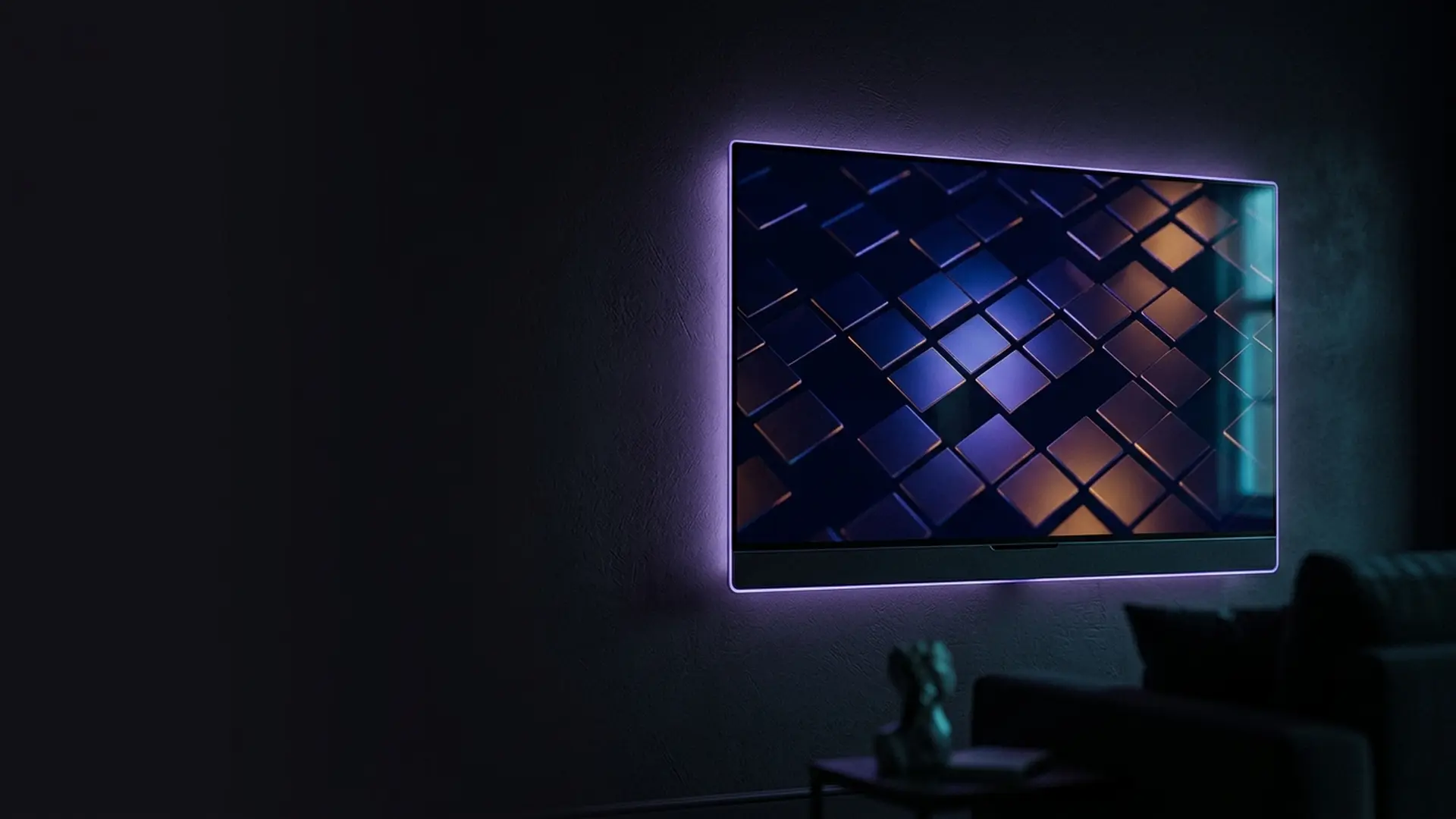
Sky Glass is a television with Sky built into it. No dish, no puck, no box — you plug in one power cable, connect to Wi-Fi, and the whole Sky service is simply there, with a Dolby Atmos speaker system built into the frame. It is the most ambitious thing Sky has ever sold, and the two compromises it asks for are rarely spelled out before you sign.
The short answer
- A 4K TV with Sky built in — one power cable, no dish, no box.
- You pay for the TV monthly over 24 or 48 months, plus a Sky subscription.
- Gen 2 improved the picture; Air is the cheaper, lighter model.
- No hard disk and no HDMI passthrough for the built-in speakers.
Every television Sky had ever sold to that point needed something bolted to the side of your house. Sky Glass, launched in 2021 and now in its second generation, was the company deciding that the dish had become the single biggest obstacle to selling television — and removing it entirely by putting Sky inside the screen.
The result genuinely is one cable. There is no set-top box, no puck, no aerial, no dish and no soundbar, because the speaker system is built into the chassis. For a rented flat with a bare wall, that is close to magic.
It is worth being clear at the outset that a Sky Glass TV is a television first and a Sky product second. You are buying a 4K QLED panel on a four-year finance agreement, and the subscription that makes it useful is billed separately on top. Almost every complaint about Sky Glass traces back to that one structural fact rather than to anything wrong with the set.
We have lived with a 55-inch Gen 2 for eight months alongside a Sky Stream puck on a separate set, on a 67 Mbps line. This covers what it is, what each model costs, and the two things we would want to know before committing to four years of payments.
What is Sky Glass?
A 4K QLED television with Sky’s Entertainment OS running natively on it — the same operating system as the our Sky Stream review puck — plus a multi-speaker Dolby Atmos sound system built into the frame beneath the screen.
At a glance
- Launched
- October 2021 · Gen 2 in 2024 · Air in 2025
- Sizes
- 43, 55 and 65 inches
- Panel
- 4K QLED with HDR10 and Dolby Vision
- Sound
- Built-in Dolby Atmos array — no soundbar needed
- Delivery
- Broadband only — no dish, no aerial
- Recording
- None — cloud Playlist, as on Sky Stream
- Payment
- Monthly over 24 or 48 months, plus a Sky subscription
- Recommended speed
- 30 Mbps for 4K
The crucial thing to understand about the commercial model: you are buying two things. The television itself is paid off monthly over a fixed term, like a phone contract. On top of that sits a Sky TV subscription. Quotes that look startlingly cheap are usually showing you one of those two numbers.

What is the difference between Sky Glass Gen 2 and Air?
Gen 2 is the main model: a 4K QLED panel with improved contrast, Dolby Vision and a six-speaker Atmos array. Air is the cheaper, lighter entry — a simpler panel, limited Dolby Vision and a reduced speaker array. Gen 1, from 2021, is discontinued.
Sky now sells three variants, and the differences matter more than the marketing suggests.
| Glass Gen 1 | Glass Gen 2 | Glass Air | |
|---|---|---|---|
| Introduced | 2021 | 2024 | 2025 |
| Panel | 4K QLED | 4K QLED, improved contrast | 4K, simpler panel |
| Dolby Vision | No | Yes | Limited |
| Built-in sound | 6 speakers, Atmos | 6 speakers, Atmos | Reduced array |
| Weight | Heavy | Heavy | Noticeably lighter |
| Position | Discontinued | The main model | The budget entry |
Gen 2 — the one most people should buy
The second generation fixed the original’s weakest point. Gen 1 had noticeably mediocre black levels for a television at that price, and in a dark room it showed. Gen 2 improved contrast and added Dolby Vision, and the difference on a film at night is obvious rather than marginal.
The built-in Atmos array remains the standout feature. It is genuinely better than the speakers in almost any comparable television, and good enough that most households will not add a soundbar — which is a real saving worth counting when you compare against a normal TV plus Sky Stream plus a soundbar.
Air — cheaper, and you can tell
Sky Glass Air is the response to the obvious criticism that Glass was expensive. It is lighter, cheaper and easier to wall-mount, and it runs exactly the same software.
What you give up is the thing that made Glass distinctive: the sound. The reduced speaker array is fine — better than a typical thin television — but it is not the room-filling Atmos system of the full model. If you already own a soundbar, Air makes a lot of sense. If you were counting on Glass replacing one, it does not.
How much does Sky Glass cost?
This is where most confusion lives, so it is worth being blunt: the Sky Glass price you see advertised is for the hardware alone. The television is useless without a Sky subscription on top, and that subscription is priced exactly as it is everywhere else — our breakdown of Sky packages and prices covers every tier and add-on.
| Component | Approx. monthly | Term |
|---|---|---|
| Glass Air 43" | ~£6–£10 | 48 months |
| Glass Gen 2 43" | ~£14 | 48 months |
| Glass Gen 2 55" | ~£17 | 48 months |
| Glass Gen 2 65" | ~£21 | 48 months |
| Sky Essential TV (required) | ~£15 | Rolling with the contract |
| Sky Sports add-on | ~£31 | Optional |
| Sky Cinema add-on | ~£13 | Optional |
| UHD & Dolby Atmos add-on | ~£6 | Optional but expected |
A realistic 55-inch household wanting sport and 4K therefore lands somewhere around £70 a month, of which roughly £17 is the television and the rest is content. Over a 48-month term that is a substantial commitment, and it is worth doing the total-cost arithmetic rather than reading the hardware figure alone.
On the finance
The hardware is sold on credit. That has two consequences worth knowing. It is subject to a credit check, and it is a fixed-term agreement — leaving early means settling the remaining balance on the television, separately from any subscription notice period. Read which part of your bill is credit and which is service before signing.
Sky Glass deals, and which ones are real
Sky discounts Glass constantly, and the offers fall into three types that are worth telling apart. Understanding which one you are being shown is the difference between a genuine saving and a rearranged bill.
What each kind of Sky Glass deal actually does to the total you pay:
Hardware discounts — usually genuine
A reduced monthly hardware payment, or a waived upfront fee, lowers the credit half of the bill for the full term. Multiply the monthly reduction by 48 months to see the real value, which is often larger than the headline suggests.
Subscription offers — genuine but temporary
A discounted package price for the first 12 or 18 months. Real money, but check what the rate reverts to afterwards, because the increase at the end of the promotional period is where most bill shock comes from.
Bundle offers — usually a rearrangement
Adding broadband or mobile to unlock a discount often moves cost between lines on the same bill rather than removing it. Price each service separately elsewhere before accepting, and treat the combined figure as the only number that matters.
Two timing points are worth knowing. Offers cluster around Black Friday, the January sales and the start of the football season, so a household with no urgency can reasonably wait. And existing Sky customers are frequently offered better terms than the public site shows — our guide to what the retention team can actually do covers how to ask without ending up committed to something worse.
What is the Sky Glass interface like?
Identical to Sky Stream, and comfortably the best television software sold in Britain. Everything is organised around a single Playlist rather than a recordings folder, live channels and on-demand sit side by side in one guide, and the voice remote genuinely finds things rather than opening a search box.
Identical to Sky Stream, and comfortably the best television software sold in Britain.
The home screen organises by intent rather than by app, and crucially search spans every service you have. Ask for a title and Glass tells you it is on Netflix, or Discovery+, or a Sky channel, and takes you there. After a few weeks you stop knowing which app anything lives in, which is the thing every rival platform fails at.
Voice is better integrated here than on the puck, because the microphone is in the television itself as well as the remote. Saying "Hello Sky, show me the football" from the sofa without finding the remote is a small thing that turns out to matter daily.
The remote
Small, Bluetooth, with a microphone key and a "find my remote" chime triggered from the television. As with Sky Stream, the most common support issue is pairing dropping after a power cut — holding the back and shortcut buttons together for a few seconds re-pairs it, and that resolves the overwhelming majority of "Sky Glass remote not working" cases.
It connects by Bluetooth, so there is no need to point it at the screen. It also means the batteries drain faster than an old TV remote — a set of rechargeable AAAs is worth having.
What are the downsides of Sky Glass?
Two, and both are structural rather than faults. There is no hard disk, so nothing is recorded locally — the Playlist is a cloud bookmark that lasts only as long as Sky holds the rights. And there is no HDMI passthrough to the built-in speakers, so external sources bypass the Atmos array.
Both are consequences of the design rather than faults, and neither is prominent in the marketing.
1. There is no hard disk
Like Sky Stream, Glass replaces recording with Playlist — a cloud list of things you have marked, which Sky then makes available on demand. Day to day it feels similar. The differences bite in two places: Playlist content can disappear when Sky’s rights to it expire, and nothing at all is available if your broadband is down.
For most viewing this is a fair trade, and a great deal of content is already on demand whether you remembered to mark it or not. If your household genuinely archives series and rewatches them years later, Sky Q or an EE TV Box Pro are the platforms that still let you own a copy.
2. The speakers are tied to the Sky input
This is the one that surprises people, and it is worth understanding before you buy.
The built-in Atmos array is excellent for Sky content. But sound from devices plugged into the HDMI inputs — a games console, a Blu-ray player, a laptop — does not always get the full benefit of that array in the way the native Sky content does. If a console is your primary use for the screen, audition that specific setup in a shop rather than assuming the speakers behave identically across every input.
Is Sky Glass better than Sky Stream?
Only if you were buying a television anyway. The software, channels and picture quality are identical, because Sky Stream is the same operating system in a puck — the two compared in full works through the decision. Sky Glass adds the panel and the Atmos speakers, and asks for forty-eight months of hardware payments to get them.
| Sky Glass | Sky Stream | Sky Q | |
|---|---|---|---|
| You get | A television with Sky inside | A puck for your own TV | A box plus a dish |
| Dish | None | None | Required |
| Buy a new TV? | Yes, that is the product | No | No |
| Built-in Atmos sound | Yes | No | No |
| Recording | Cloud Playlist | Cloud Playlist | Hard disk |
| Interface | Best in market | Best in market | Good, ageing |
| Hardware commitment | 24–48 months credit | None beyond the contract | None beyond the contract |
| Total monthly, loaded | ~£70 | ~£65 | ~£65 |
The decision is genuinely simple once framed properly. Do you need a new television? If yes, Glass is a strong buy — the sound system alone offsets a chunk of the premium, and the software is excellent. If no, buying a television you did not need in order to get software you can have for free on a puck makes no sense: get the puck instead.
If the choice is really between the two Sky boxes rather than between Glass and a normal set, our head-to-head on the puck against the dish box settles it faster than this page will. And if you are simply replacing an ageing television and wondering how much of Glass you already have, what your existing television can already do covers what your existing set can and cannot do — most modern televisions run the same apps, without the finance agreement.
If you want the same content with no commitment at all, NOW carries much of it on a rolling monthly Membership — and works on the television you already own. Our comparison of every legal UK service puts all the options side by side.
How much broadband does Sky Glass need?
Sky recommends around 30 Mbps for 4K, and that is a fair figure in practice. Below it the picture quietly steps down to HD rather than buffering. Line stability matters more than headline speed — a steady connection outperforms a faster one that fluctuates through the evening peak.
30
Mbps for 4K
Per stream, sustained.
~9
GB per hour
At 4K HDR.
6
Speakers built in
On Gen 2. Fewer on Air.
48
Months maximum term
On the hardware credit.
With the UHD add-on and a wired connection, Gen 2 looks very good — not OLED-good in a blacked-out room, but comfortably competitive with any QLED at the price, and the Dolby Vision support on Gen 2 makes a visible difference on supported films.
The Ethernet port matters more than on most televisions, because *everything* arrives over broadband here — there is no aerial or dish fallback whatsoever. Wired, 4K starts at once and holds steady; over weak Wi-Fi from a room or two away, the set settles for its lowest quality and stays there. The mechanism is explained in our guide to how IPTV works.
What are the most common Sky Glass problems?
Five recur: a remote that stops responding after a power cut, a picture stuck at HD instead of 4K, a Playlist item vanishing when Sky’s rights expire, flat console audio over HDMI, and buffering at peak time. All but the Playlist one are fixable, and most trace back to bandwidth or pairing.
| Problem | Cause | Fix |
|---|---|---|
| Remote stops responding | Bluetooth pairing dropped after a power cut | Press and hold back and the shortcut key together until it re-pairs. |
| Picture is HD, not 4K | No UHD add-on, or insufficient bandwidth | Check the add-on is active, then wire the television to the router. |
| Playlist item disappeared | Sky’s rights to that title expired | Nothing to fix — this is the trade-off for cloud storage over a disk. |
| Console audio sounds flat | HDMI input does not use the array identically | Check the sound mode for that input; audition before buying if this is your main use. |
| Buffering in the evening | Peak-time congestion on your line | Test speeds at 9pm versus overnight. Wire the set to remove Wi-Fi from the equation. |
| Screen blank, everything else fine | Broadband outage | Expected — there is no aerial fallback. Check the router. |
What the same channels cost without the television
Sky Glass folds a television and a subscription into one monthly figure spread over forty-eight months. Strip the hardware out and you are buying the Sky channel line-up on its own, which is what the fixed-term plans below price — the same content, without four years of panel payments.
Both tiers are listed because Glass is sold on its channel line-up and its sport: IPTV 4K Ultra streams in 4K HDR with Dolby Atmos, and IPTV 8K Ultra Max adds Dolby Vision and a wider list.
IPTV 4K Ultra
From £2.86/moCinema-quality HDR & Dolby
True 4K Ultra HD streaming with HDR10+, Dolby Vision and Dolby Atmos. Watch the Premier League in 4K like you are at the ground.
Starter 4K
3 Months
£34.99−31%
£23.99
£8.00/mo
- 27,000+ channels in 4K
- 192,000+ VOD titles in native 4K
- 4K UHD (3840×2160) HEVC
- Full EPG guide
- 1 screen
- 24/7 UK support
- Anti-freeze technology
Secure payment

Standard 4K
6 Months
£54.99−27%
£39.99
£6.67/mo
- 27,000+ channels in 4K
- 192,000+ VOD titles in 4K HDR
- 4K UHD + HDR10+
- EPG + 3-day replay
- 1 screen
- Priority support 24/7
- Anti-freeze servers
Secure payment
Premium 4K
12 Months
2 months free£74.99−27%
£54.99
£3.93/mo
- 27,000+ channels in 4K UHD
- 192,000+ VOD titles in 4K HDR
- 4K UHD + HDR10+ + Dolby Vision
- EPG + 7-day replay
- 1 screen
- VIP WhatsApp support
- Dolby Atmos 5.1 audio
- Free automatic updates
Secure payment
Ultimate 4K
24 Months
4 months free£89.99−11%
£79.99
£2.86/mo
- 27,000+ channels in 4K UHD
- 192,000+ VOD titles in 4K Ultra HD
- 4K + HDR10+ + Dolby Vision
- EPG + 14-day replay
- 1 screen
- VIP WhatsApp instant support
- Dolby Atmos 7.1 surround
- Early access to 4K content
- Optimised HEVC streaming
Secure payment
IPTV 8K Ultra Max
From £3.93/mo8K HDR + Dolby Atmos — the pinnacle
The most advanced plan on the list. True 8K Ultra HD with Dolby Vision HDR and Dolby Atmos sound, 55,000+ live channels, 220,000+ on-demand films and series, and multi-language subtitles on everything.
Starter 8K
3 Months
£39.99−25%
£29.99
£10.00/mo
- 55,000+ live channels in up to 8K
- 220,000+ films & series on demand
- 8K UHD + Dolby Vision HDR
- Dolby Atmos immersive audio
- Multi-language subtitles
- Full EPG guide
- 1 screen
- 24/7 UK support
Secure payment
Standard 8K
6 Months
£69.99−29%
£49.99
£8.33/mo
- 55,000+ live channels in up to 8K
- 220,000+ films & series on demand
- 8K UHD + Dolby Vision HDR
- Dolby Atmos immersive audio
- Multi-language subtitles
- EPG + 3-day replay
- 1 screen
- Priority UK support 24/7
Secure payment
Premium 8K
12 Months
2 months free£99.99−30%
£69.99
£5.00/mo
- 55,000+ live channels in up to 8K
- 220,000+ films & series in 8K / 4K
- 8K UHD + Dolby Vision HDR
- Dolby Atmos object-based audio
- Multi-language subtitles throughout
- EPG + 7-day replay
- 1 screen
- VIP WhatsApp support 24/7
- Free automatic updates
Secure payment
Ultimate 8K
24 Months
4 months free£124.99−12%
£109.99
£3.93/mo
- 55,000+ live channels in up to 8K
- 220,000+ films & series in 8K / 4K
- 8K UHD + Dolby Vision HDR
- Dolby Atmos 7.1+ surround sound
- Multi-language subtitles throughout
- EPG + 14-day replay
- 1 screen
- VIP WhatsApp instant support
- Early access to new 8K content
- Optimised 8K HEVC / AV1 streaming
Secure payment
Neither plan needs particular hardware — a Firestick, a smart TV or a phone will do, which is precisely the constraint Sky Glass removes by selling you the screen as well. The full price list covers every term, and our device guide covers what to plug them into.
Is Sky Glass worth it? Our verdict
Our verdict
Sky Glass Gen 2
The most complete television product in Britain if — and only if — you were buying a new television anyway. One cable, no dish, the best TV software in the country and a genuinely good built-in Atmos system that saves you a soundbar. What holds it back is a four-year credit agreement, the loss of local recordings, and the fact that a puck gives you the same software for nothing.
What works
- Sky with no dish, no box and one cable.
- Built-in Dolby Atmos sound that replaces a soundbar.
- The best television interface sold in Britain.
- Gen 2 fixed the original’s weak contrast and added Dolby Vision.
- Excellent voice control, in the set as well as the remote.
What doesn’t
- A 24–48 month credit agreement on top of the subscription.
- No hard disk — Playlist content can expire.
- 4K is a paid add-on despite it being a 4K television.
- HDMI-input audio does not match the native Sky experience.
- No aerial fallback: broadband down means a blank screen.
Best for: Households replacing a television anyway who want Sky without a dish. If your current set is fine, buy a Sky Stream puck instead and keep the screen.
Frequently asked questions
What is Sky Glass?
A 4K QLED television with Sky built into it and a Dolby Atmos speaker system in the frame. There is no dish, no set-top box and no soundbar — you connect one power cable and join it to your Wi-Fi. It runs the same software as the Sky Stream puck.
How much does Sky Glass cost?
The television is paid monthly over 24 or 48 months — roughly £14 for a 43-inch Gen 2 up to about £21 for a 65-inch, with Glass Air cheaper. A Sky TV subscription is required on top, from around £15. A realistic 55-inch household with sport and 4K lands near £70 a month in total.
Does Sky Glass need a dish?
No. Everything arrives over your broadband connection, which is the entire point of the product. It also means there is no aerial or satellite fallback — if your internet goes down, the television shows nothing.
Does Sky Glass still work without a Sky subscription?
It works as an ordinary smart television with its own apps, but no Sky content appears. The set and the subscription are separate agreements, so the television keeps functioning — and the finance payments keep running — after you cancel Sky.
What is Sky Glass Air?
A cheaper, lighter version of Sky Glass introduced in 2025. It runs exactly the same software but has a reduced speaker array, so it does not deliver the full built-in Dolby Atmos sound of the standard model. It suits households that already own a soundbar.
Is Sky Glass Gen 2 better than Gen 1?
Yes, meaningfully. Gen 2 improved contrast and black levels — the original’s clearest weakness — and added Dolby Vision support. On a film in a dark room the difference is obvious rather than marginal.
Can you record on Sky Glass?
Not to a hard disk. The record button still exists, but it bookmarks the programme in a cloud Playlist rather than saving it anywhere in your house. Most days you will not notice the difference, until a title drops out when Sky’s rights lapse, or the broadband goes and there is nothing stored to fall back on.
Why is my Sky Glass remote not working?
Almost always a dropped Bluetooth pairing, usually following a power cut. Press and hold back and the shortcut key together until it re-pairs. If the remote is intermittent rather than dead, change the batteries first — a Bluetooth remote draws more current than an old infrared one ever did.
Can I cancel Sky Glass early?
The television is sold on credit over a fixed term, so leaving early means settling the outstanding balance on the hardware. That is separate from any notice period on the Sky subscription. Check which part of your bill is credit and which is service before signing.
Is Sky Glass worth it?
It depends entirely on whether you need a new television. If you do, the built-in Dolby Atmos sound offsets a good part of the premium and the software is the best in the market, which makes it a strong buy. If your current set is fine, you are buying a television you did not need in order to get software a £0 puck gives you free — and that does not add up.
Are there Sky Glass deals worth waiting for?
Yes. Offers cluster around Black Friday, the January sales and the start of the football season, so a household with no urgency can reasonably wait. Judge a deal by which half of the bill it cuts: a hardware discount lowers the credit payment for the full 48-month term, while a subscription offer usually lasts 12 to 18 months and then reverts.
This page is part of our Services hub.
See all services guides